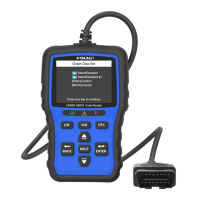
User Manual
1. Diagnostic operation
UDIAG•
Back Help
0K
Function Keys / Shortcut keys
Three keys that correspond with "buttons"
on some screens for executing commands
or provide quick access to most frequently
used applications.
Help Key
Provide tips for diagnosis or for the tool
itself.
Back Key
Return to previous interface or exit.
0k Key
To confirm the current operation.
Selection Key
To select an option or scroll through a
screen of data or text.
Never try to provide power for the device
from USB connection when the device is
communicating with a vehicle.
3. Powering up the scanner
Don't connect or disconnect the
equipments while the ignition is on or the
engine is running.
Before using the device, make sure to provide power to the device.
The unit operates on any of the following sources.
2. Before start diagnosis, please make sure
O
The ignition switch is
turned to ON position
Engine is off
10-14V
10 to 14 volt vehicle power
3.1.12 volt vehicle power
O
STOP
Turn the ignition off.
Bcc
START
s Top
Switch the ignition key to the ON position.
NEAR
CENTER
OF DASH
Locate the data link connector (DLC) under
the dash on the driver side of the vehicle.
TART
The code reader automatically boots up.
-2-

 Need help?
 General

 To Next Page