
 Need help?
Do you have a question about the UDIAG CR800 and is the answer not in the manual?
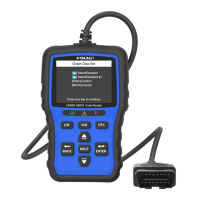
Details the OBDII cable and indicator lights for system status.
Explains the functionality of various control buttons for navigation and operation.
Ensures correct ignition state and vehicle power supply before diagnosis.
Important warnings regarding power connection during operation and ignition state.
Connects the scanner to a computer via USB for power.
Powers the scanner using the vehicle's 12V power source.
Instructions for downloading the updater and preparing for the update process.
Step-by-step guide for connecting the scanner and initiating the update.
Connects the scanner to a computer and guides through printing test results.
 General
| Brand | UDIAG |
|---|---|
| Model | CR800 |
| Category | Diagnostic Equipment |
| Language | English |

 To Next Page
