Confidential / All product specifications are subject to change without notice.
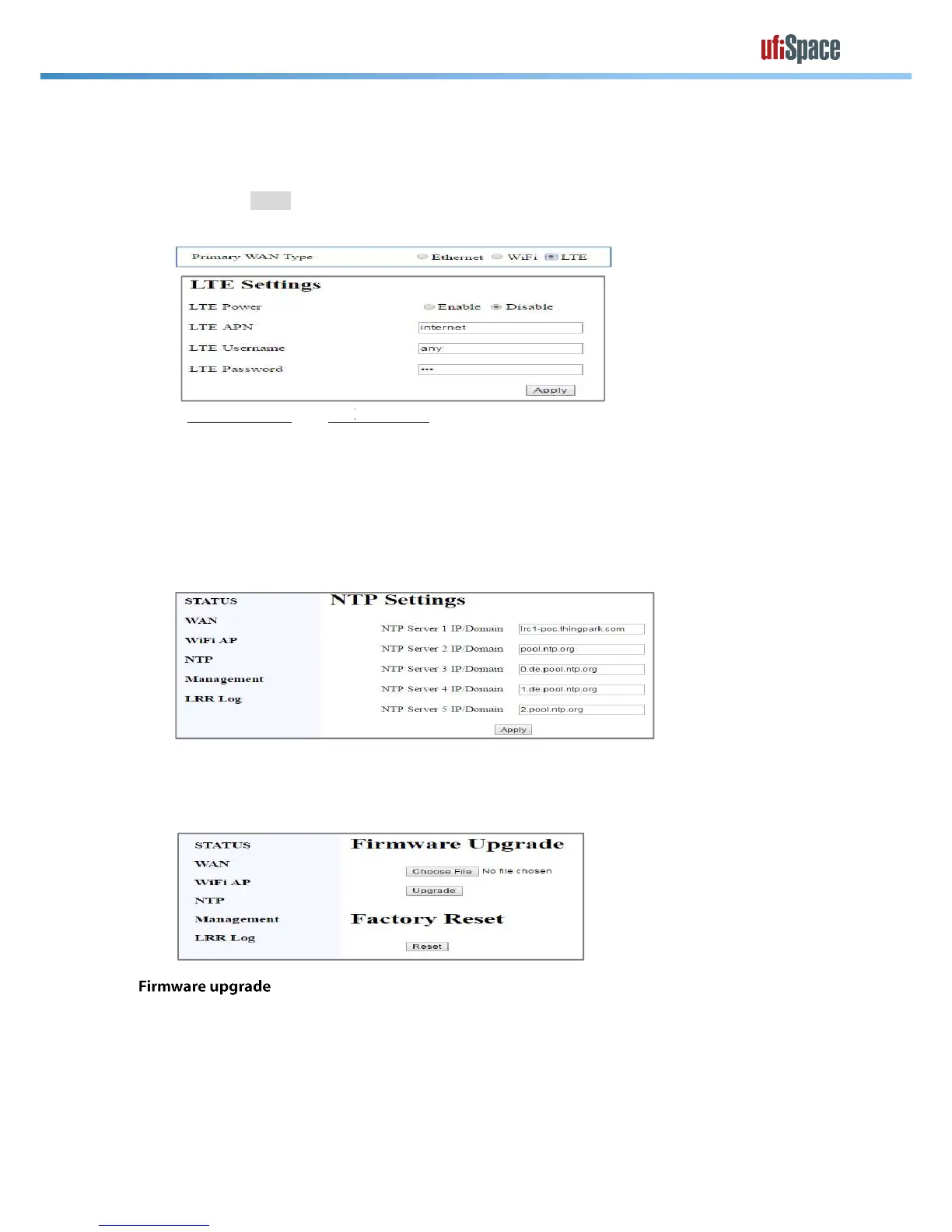
A. Set Primary WAN type as “LTE”
B. Set LTE APN / LTE Username / LTE Password
C. Set LTE Power to "Enable"
E. An example is shown as followed
Select [NTP] page for setting NTP configuration. You will need to change this setting if LoRa
will be used in a private network with its own time server and Internet is not available.
server from the first one until GW get the response from NTP server.
Before performing FW upgrade, please check the
You need to be aware that only firmware for the same production could be used. Using invalid
or firmware from other products will get a “
Confidential / All product specifications are subject to change without notice.
A. Set Primary WAN type as “LTE”
B. Set LTE APN / LTE Username / LTE Password
C. Set LTE Power to "Enable"
E. An example is shown as followed
are not used, please enter with “any”.
Select [NTP] page for setting NTP configuration. You will need to change this setting if LoRa
will be used in a private network with its own time server and Internet is not available.
server from the first one until GW get the response from NTP server.
Before performing FW upgrade, please check the
page for current firmware version.
You need to be aware that only firmware for the same production could be used. Using invalid
or firmware from other products will get a “
are not used, please enter with “any”.
Select [NTP] page for setting NTP configuration. You will need to change this setting if LoRa
will be used in a private network with its own time server and Internet is not available.
server from the first one until GW get the response from NTP server.
page for current firmware version.
You need to be aware that only firmware for the same production could be used. Using invalid



 To Next Page
 Loading...