16
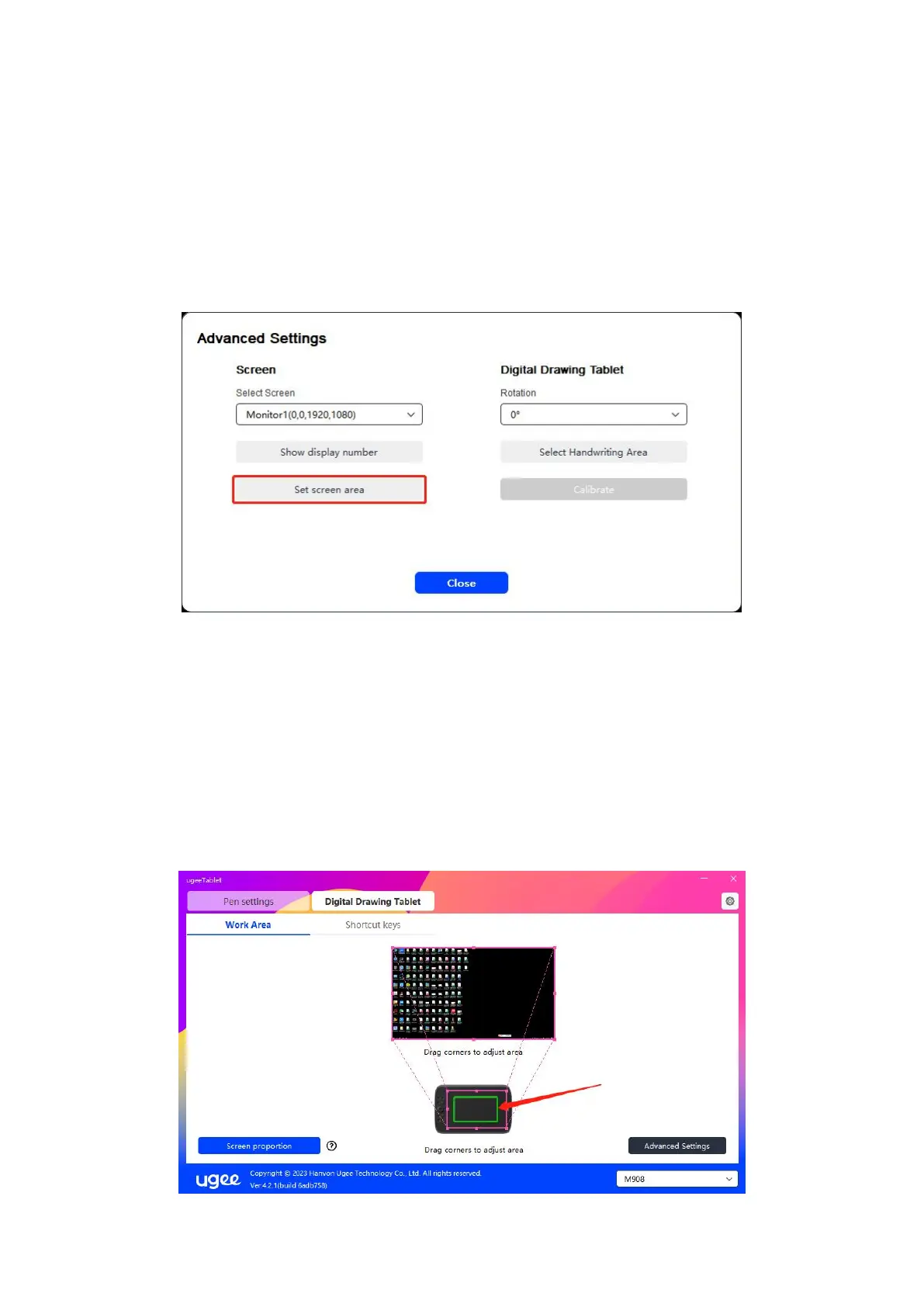
(2) Screen Area Selection: Click Advanced Settings, then choose Screen Area
Selection. Click the upper left corner and lower right corner according to prompts
from the bottom of the computer monitor, and select the mapping display area of
the screen.
6.3.1.2 Digital drawing Tablet
You can set the Work Area of current device. The driver enables you to set the Work
Area of the device in the following ways:
(1) Dragging Four Sides: Move the cursor to the middle or ends of the four sides, then
press and hold the left mouse button to drag the four sides.



 To Next Page