2
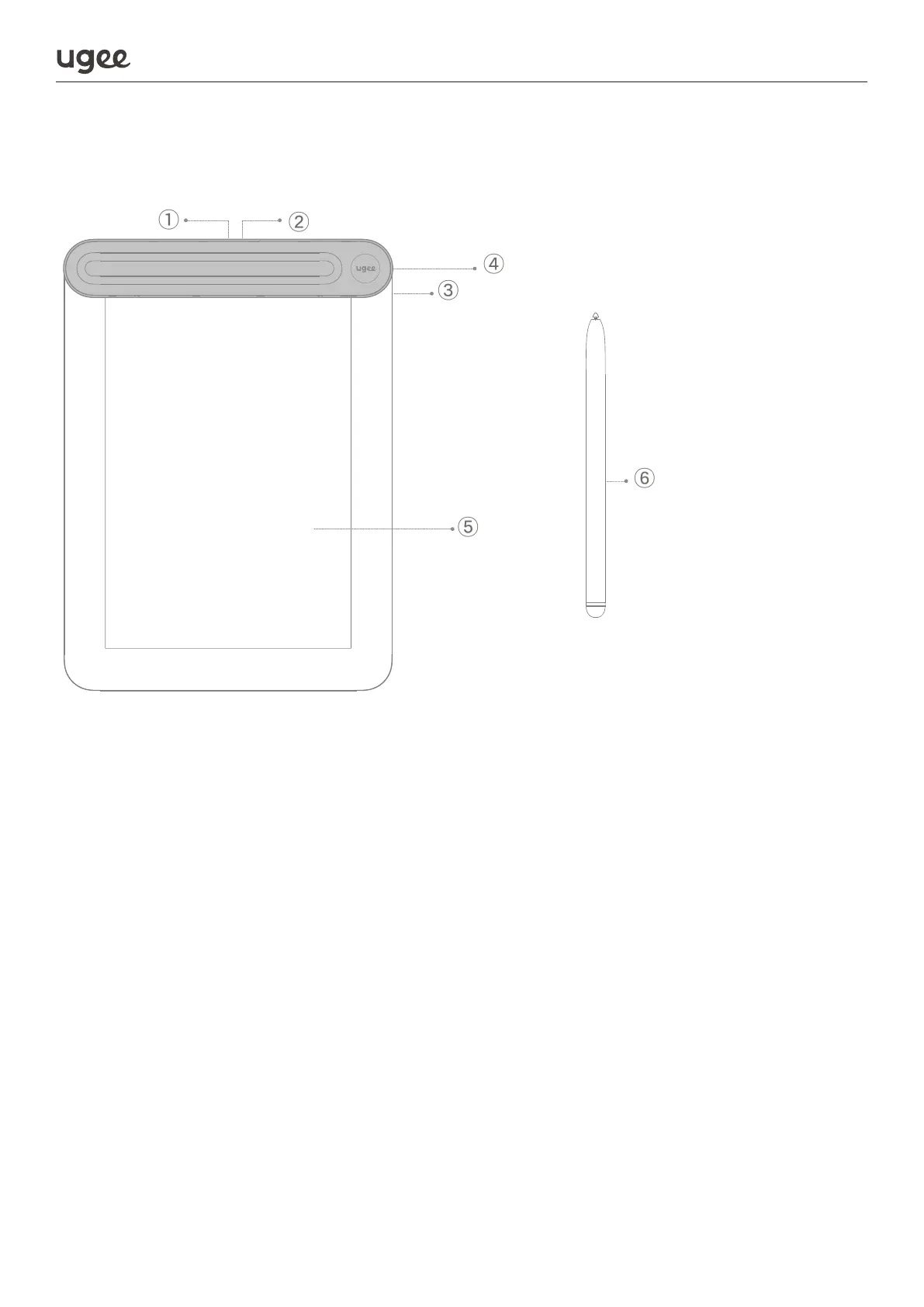
① Power key
Press and hold for 3 seconds to turn on/off
Press and hold for 8 seconds to reset
Short press 3 times in a row to bluetooth pair
② Indicator light
Red indicator status
a. Flashing: Low battery capacity (<20%), indicating that charging is required
b. Always on: Battery is charging
c. Off: Fully charged, or automatic shutdown due to low battery
Green indicator status
a. Quick flashing: Bluetooth waiting for pairing
b. Slow flashing: Bluetooth waiting for connection
c. Always on: Successful Bluetooth connection
③ USB-C port
④ Pen slot - open upwards to take out/store the stylus
⑤ Work area (drawing/writing)
⑥ Stylus (stored in the pen slot)
1.3 Product



 To Next Page