9
Smart Watch connection process
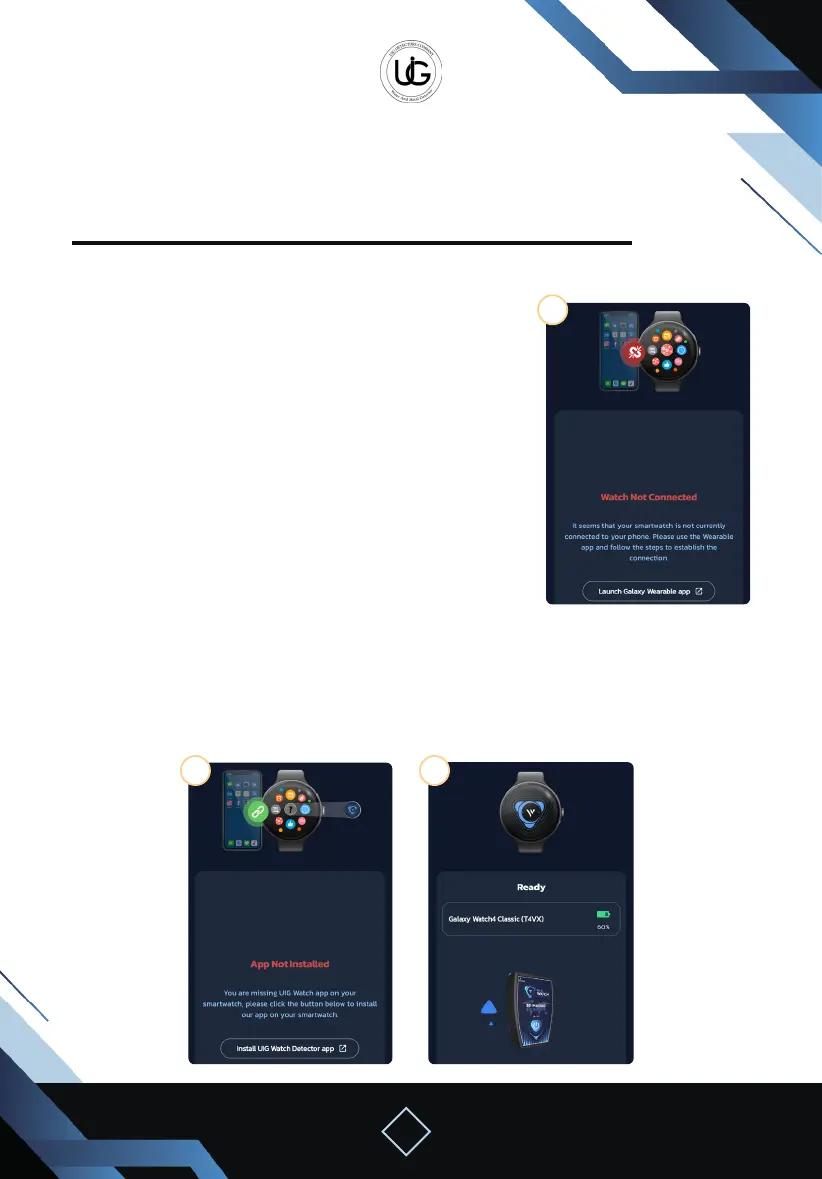
Please note that there may be 3 possible scenarios before the connection process:
2. Watch connected but UIG Watch Detector
application not installed:
In this case, the watch is connected to the mobile phone
but the search application has not been installed.
- Press the “Install UIG Watch App” button to download the
application to the smartwatch
(ensure the watch is connected to the internet to
complete the download process).
1. Watch not connected:
In this case, the watch is not connected to the mobile
phone and is not ready for use.
Click on the “Open Wearable App” button to access the
smartwatch linking program (Galaxy Wearable) and follow
the on-screen instructions.
3. Watch ready for operation:
In this case, the watch is connected to the phone and the search application is installed,
indicating that it is ready for full application use.
1
2 3


 To Next Page
 Loading...