-3- SCREEN PP45
7/29
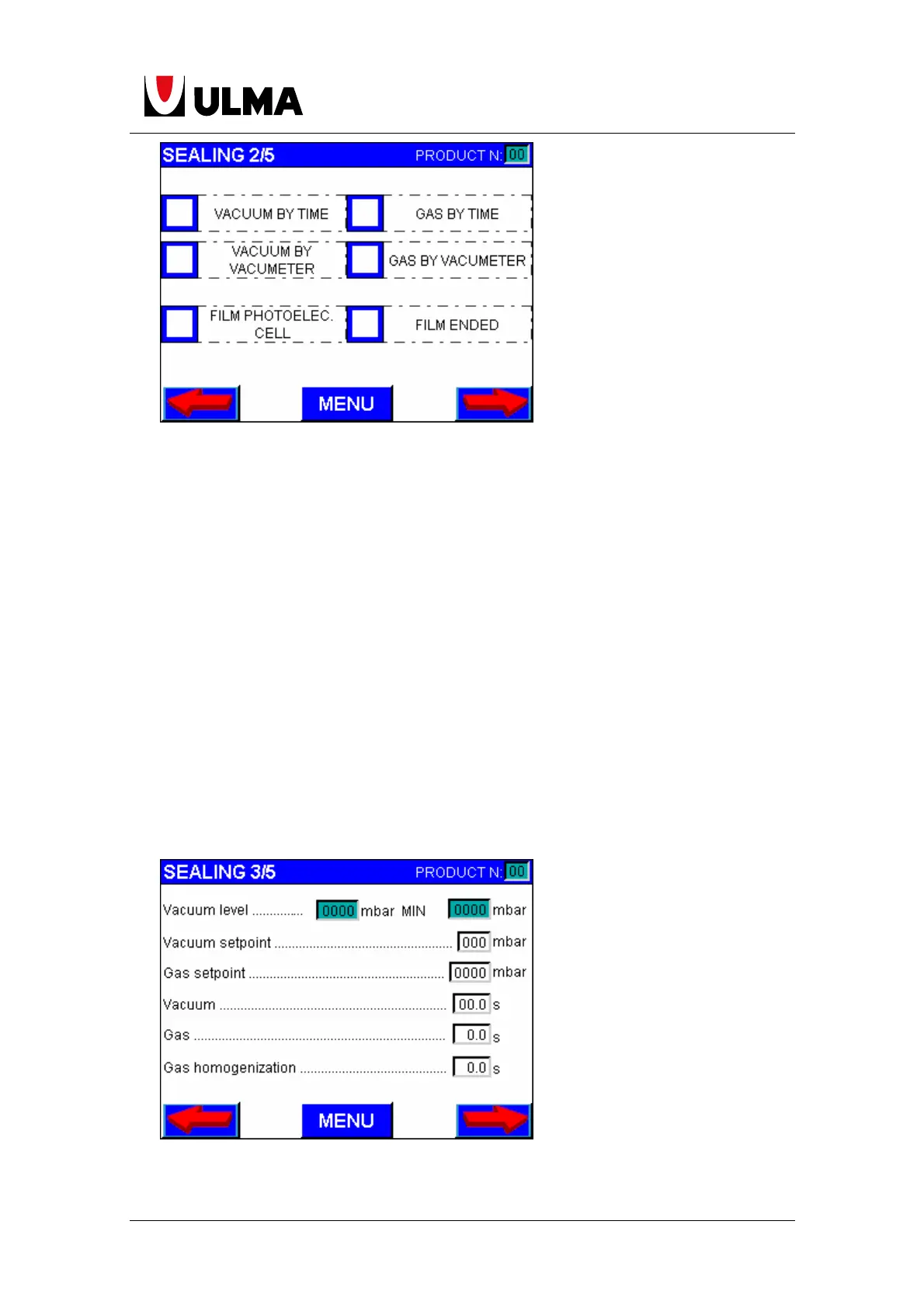
Vacuum by time: The package is vacuumed for the specified amount of time on the
times screen (vacuum time) (only if the machine has the package vacuum option).
Vacuum by vacuometer: The package is vacuumed up to the vacuum level entered
on the vacuometer setting. If it does not reach this level upon finishing the
machine´s cycle, it stops and shows the corresponding error message. (only if the
machine has the package vacuum option).
Gas by time: The gas is injected for the specified amount of time on the times screen
(gas time) (only if the machine has this gas option).
Gas by vacuometer. The gas is injected up to the level entered on the vacuometer
setting. If it does not reach the gas level upon finishing the machine’s cycle, it stops
and shows the corresponding error message. (only if the machine has the gas
option).
Film photoelec. cell. Activate the cover film centring (only for machines that work with
printed film).
Film ended: Detects when the upper film is finished. If this option is activated, the
machine will stop when the film is finished. (only if the machine has this option).


 To Next Page
 Loading...