-3- SCREEN PP45
14/29
Change to product. This button allows changing the product of the machine.
Mechanical settings. This button allows to mechanical settings screen.
Maintenance. This button allows to maintenance screen.
User levels. This button allows obtain more or less level of password. Also it´s
possible to lose your password level.
Language. This button allow to change the language of the machine.
Monitoring. Here appear the most significant times in the production cycle
Manual. This button allows to activate manually cuts, moulds, etc.
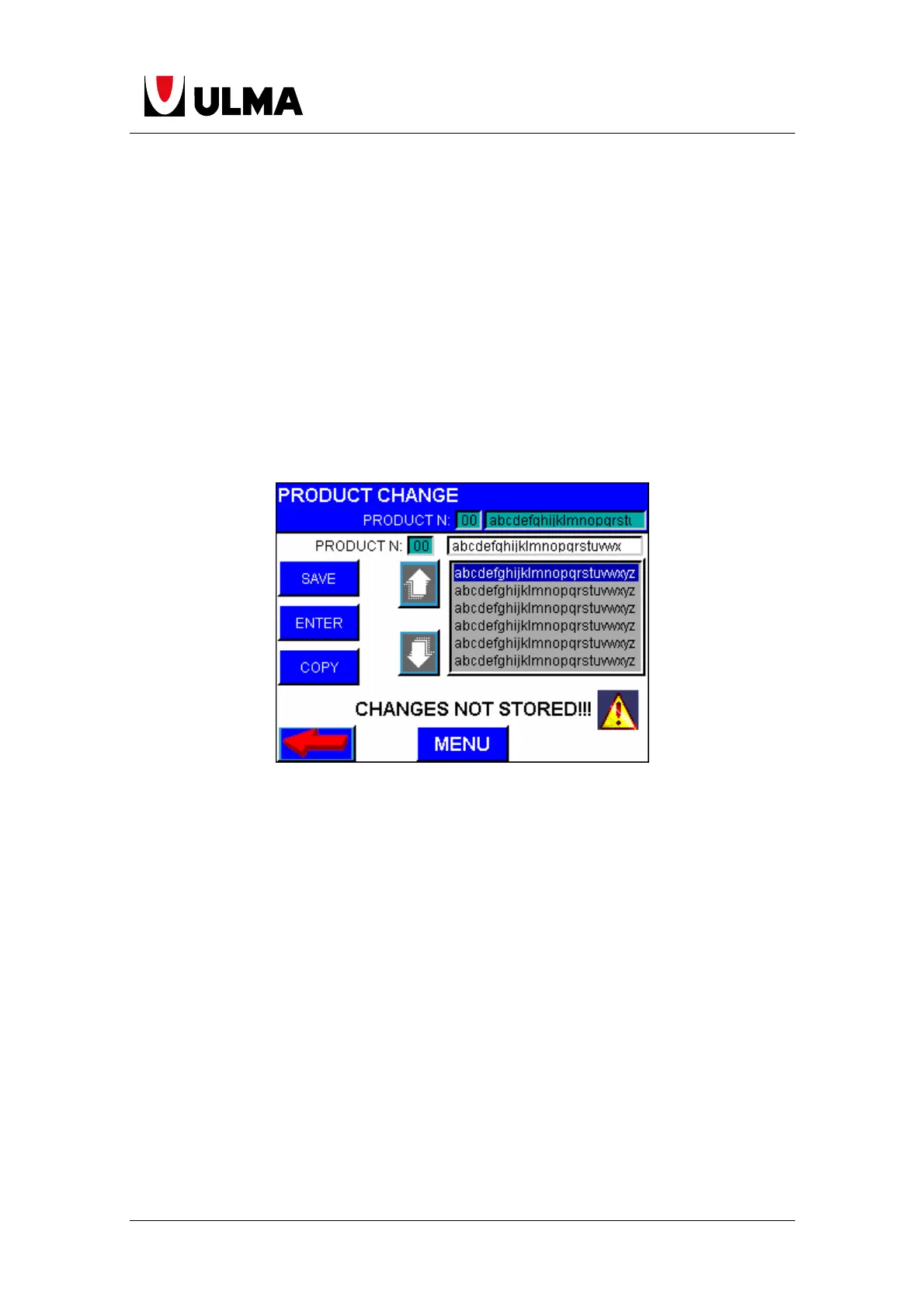
1.10.1 CHANGE TO PRODUCT
In these screen the user can change the product number. Also the user can edit
a name to a product number. If the user change any parameters and change the
product without pushing the switch SAVE CHANGES, these changes will be lost.
With the "copy" key allows to the copy screen, where you can select the
destination product number.
If any parameter is changed a "changes not stored" notice is displayed, and if
we want choose another product previously these changes must be recorded by
pressing the "Save" button.
1.10.2 MECHANICAL SETTINGS
This screen is empty. (Reserved to put the position of the elements in the
frame).


 To Next Page
 Loading...