-3- SCREEN PP45
22/29
1.10.15 LANGUAGE
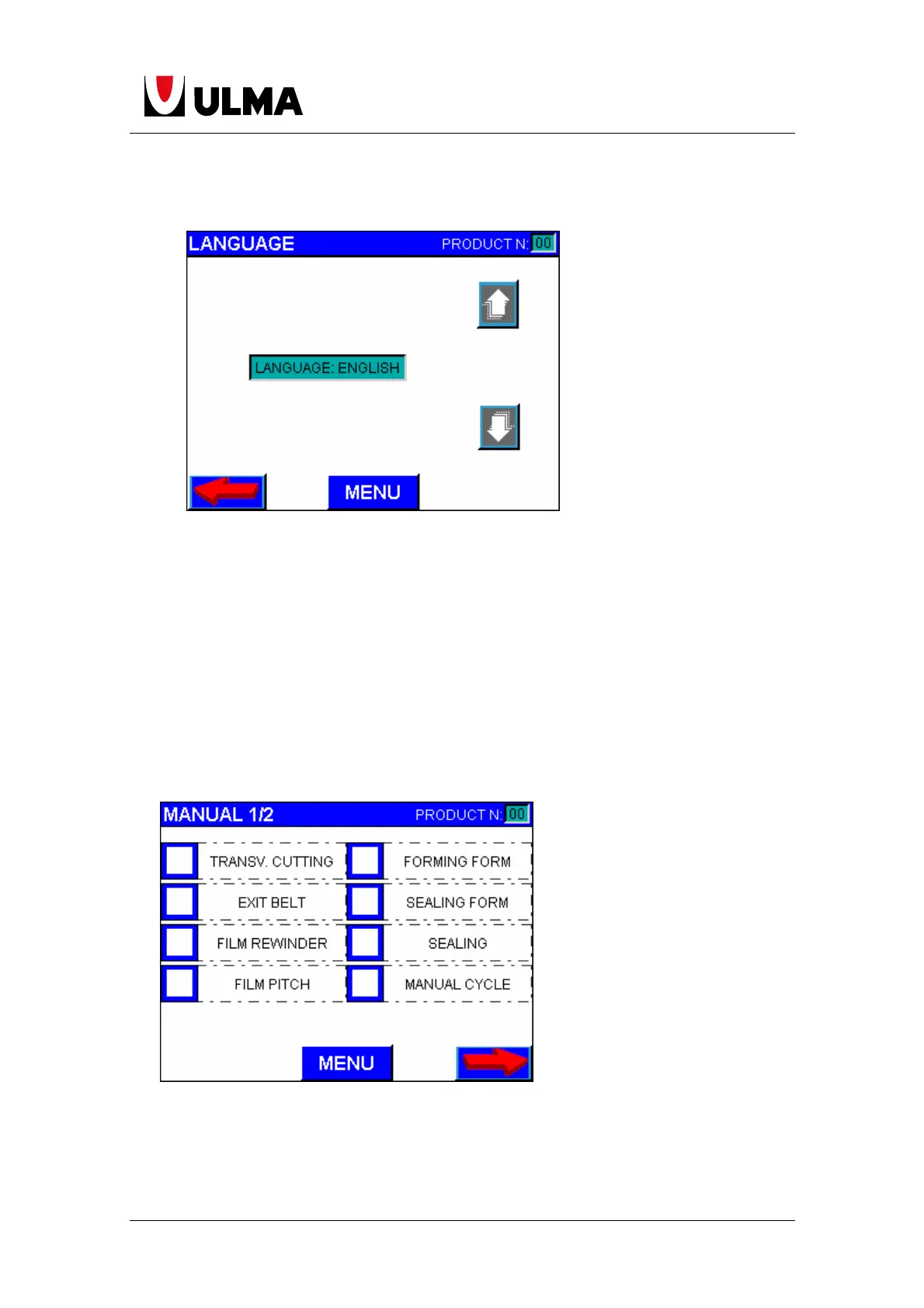
On this screen the user can choose any of the different languages for display on
screen by pressing the buttons. We need the “maintenance” password to make a
change of language.
1.10.16 MANUAL
Depending on the configuration of the machine, some of the following
parameters may not be changed or displayed. The user must have maintenance
password to access to this screen.
Transversal cutting. Transversal cutting activation manually.
Forming form manual. Forming form goes up. If pressed again, form goes down.
Exit belt. Activates the exit belt manually.


 To Next Page