Nozzle
Rib
Choose an ear cushion size, extra, extra small
(XXS) to large (L), which best fits your ears.
Selecting the correct ear cushion size helps
ensure a comfortable fit and seal to achieve
optimal sound quality.
Attach ear cushions to earphone
nozzle. Push ear cushion past rib
on nozzle so ear cushion will not
separate from nozzle during use.
www.logitech.com
© 2011 Logitech. All rights reserved. Logitech, the Logitech logo, and other
Logitech marks are owned by Logitech and may be registered. All other
trademarks are the property of their respective owners. Logitech assumes no
responsibility for any errors that may appear in this manual. Information contained
herein is subject to change without notice.
iPod is a trademark of Apple Inc., registered in the U.S. and other countries.
iPhone is a trademark of Apple Inc., registered in the U.S. and other countries.
“Works with iPhone” means that an electronic accessory has been designed to
connect specifically to iPhone and has been certified by the developer to meet
Apple performance standards.
“Made for iPod” means that an electronic accessory has been designed to connect
specifically to iPod and has been certified by the developer to meet Apple
performance standards.
Apple is not responsible for the operation of this device or its compliance with
safety and regulatory standards.
The Trademark BlackBerry is owned by Research In Motion Limited and is registered
in the United States and may be pending or registered in other countries.
All other trademarks are the property of their respective owners.
Hearing and Health is Critical!
Please review the safety guidelines
in the Important Information
Document.
620-003247.002
Insert the earphone cable
connector into the 3.5 mm
headphone jack on your iPod®
or MP3 player.
1 2
3
XS
XXS
S
M
L
Important information
Safety, compliance, and warranty
Tuned by Ultimate Ears
Getting started with
Ultimate Ears™ 200vi
Noise-Isolating Headset
www.facebook.com/ultimateears
www.twitter.com/ultimateears
Getting started with
Ultimate Ears™ 200vi
Noise-Isolating Headset
www.facebook.com/ultimateears
www.twitter.com/ultimateears

 Need help?
 General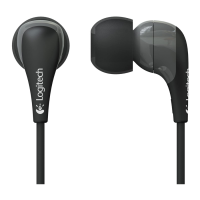

 To Next Page