EN
6 Projection Settings
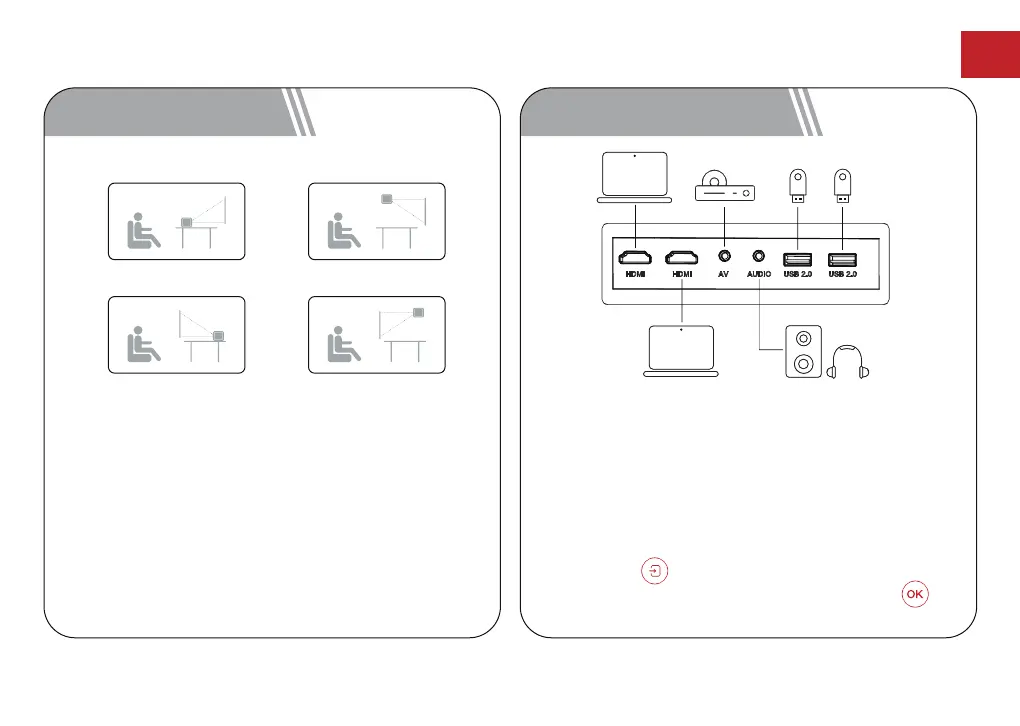
Select [Settings] -> [Projection Settings]->[Projection
Mode], select Desktop Front Projection/Desktop Rear
Projection/Ceiling Front Projection/Ceiling Rear
Projection.
Desktop Front Projection Ceiling Front Projection
Desktop Rear Projection Ceiling Rear Projection
7 Wired Connections
Play from an HDMI Playback Device
This Apollo P60 supports connections with various
HDMI playback devices such as PC, TV stick, TV box,
DVD player, set-top box (STB), game console or other
devices.
① Connect this projector to an HDMI playback device
with an HDMI cable.
② Press the button on remote control to go to
projector home menu, select [HDMI] and press .
10



 To Next Page