EN
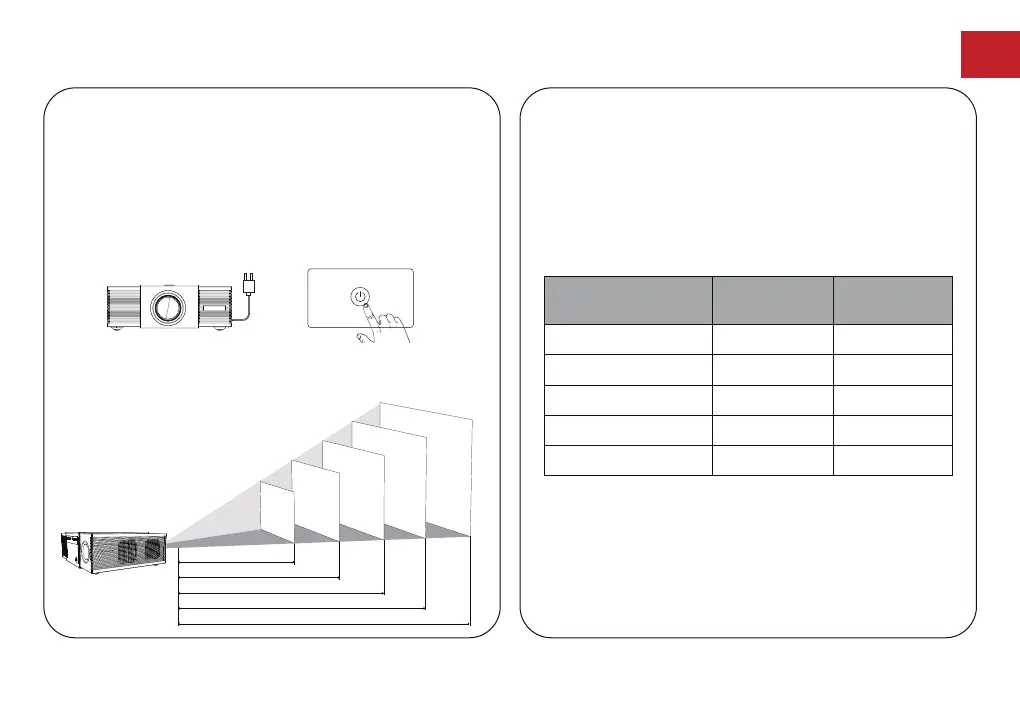
Projection Distance and Projection Image Size
80
90
100
110
120
2.49
2.8
3.1
3.42
3.73
Projection Image
Size(inch)
Distance(m)
8.12
9.19
10.18
11.22
12.24
Distance(ft)
●
Place Apollo P60 on a stable, flat surface in front of
the projection surface.
●
Please adjust the distance between Apollo P60 and
the projection surface to get the desired projection
image.
●
Tips: The projection image size refers to the distance
of the diagonal of the image size instead of the length
of the image size.
The ideal distance is 8.12-12.2ft with an 80''-120''
screen. The distance between the projector and the
projection wall needs to be kept at a minimum of 7.2ft,
Power On/Off
Placement
●
Inserting the power plug using the provided power cord.
●
Press the power button or remote control power button
once to power on.
●
Press the power button or remote control power button
twice to power off.
Plug the power cord
into an outlet.
Press the power button
to turn on the projector.
80
"
90
"
100
"
110
"
120
"
2.49
2.8
3.1
3.42
3.73
08



 To Next Page