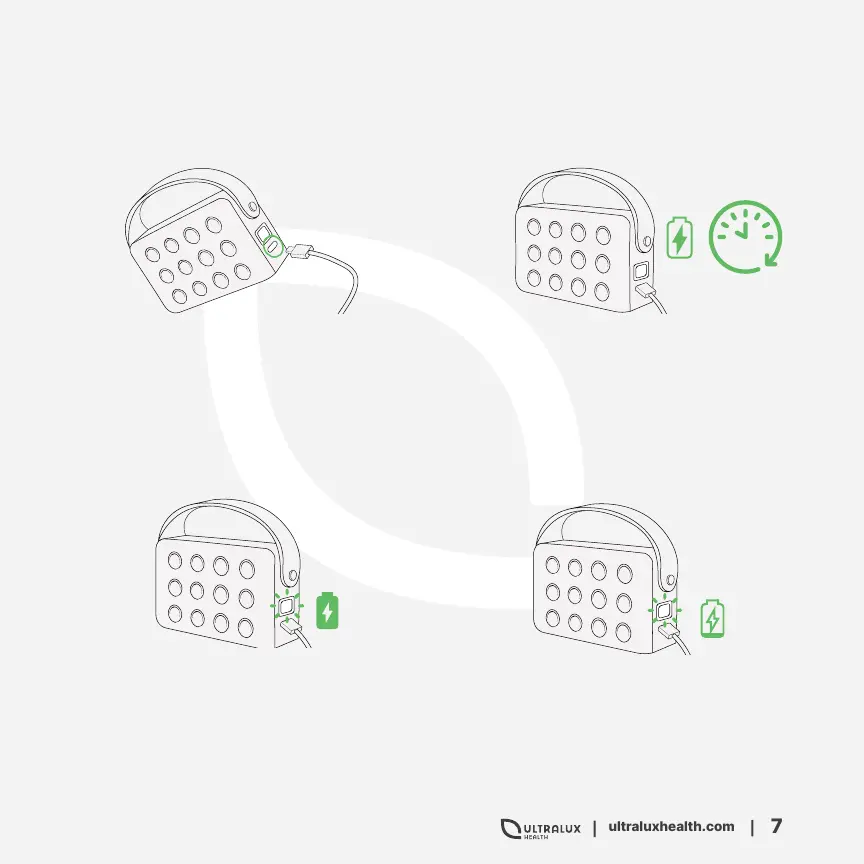
Plug the provided USB-C
charging cord into the charging
port on the side of the device,
and the USB end of the charging
cord into the wall adaptor.
1.
A flashing interface will also
indicates the device is low
battery and needs to be
charged.
4.
You will know the device is
fully charged when the digital
timer interface goes from
flashing to continuously lit.
3.
Charge your device for a
few hours to ensure a full
charge.
2.
Charging Your Red Pro
5 Hours
Note: Do not turn on the lights when
the device is charging. It will
decrease the battery lifespan.


 To Next Page