Red Wrap Functions
Continuous Therapy Mode
Continuous mode is straightforward and allows you to focus on specific areas of
your body continuously, ensuring consistent exposure.
To initiate the Pulsed Therapy Mode, first turn the Red Wrap on by pressing the
power button.
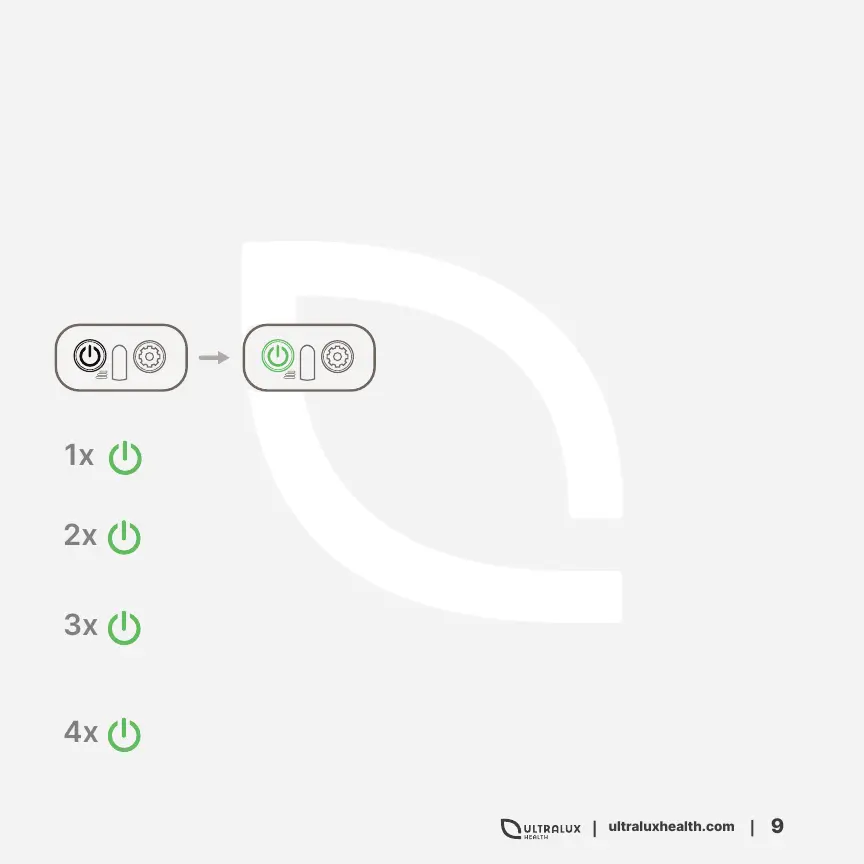
To initiate the Continuous Therapy Mode,
press the power button once quickly, and the
Power Button will turn green.
Once green, press the power button once and all LEDs (630nm, 850nm,
940nm) will come to continuous light mode.
Press again, and only the red LEDs (630nm) will come to continuous
mode.
Press again, and only the near infrared LEDs (850nm) will come to contin-
uous mode. The near infrared light is invisible to the human eye but you
will know the LEDs are in pulse mode by the illuminated green power
button.
Press again, and all LED diodes will turn off.


 To Next Page