Red Wrap Functions
To Adjust Brightness Settings
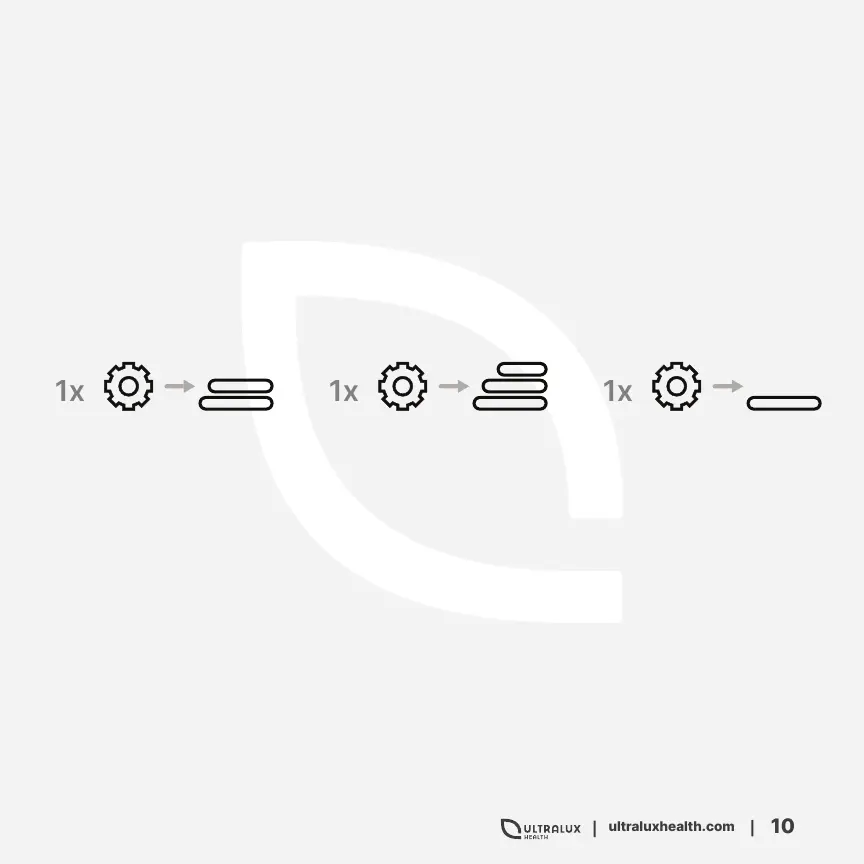
There are 3 different Brightness Settings, signified by the three lines next to the
power button. You can adjust the brightness on both Continuous and Pulsed
Therapy Modes.
All Brightness Settings are initiated using the Settings Button located next to
the power button. The default brightness is 50%.
75% Brightness
100% Brightness
50% Brightness
Troubleshoot
If you are experiencing difficulty with your Rec Wrap, we recommend powering
off your device and unplugging each cord from the Red Wrap. Then unplug the
power cord from the power outlet of your wall.
Then reconnect the cord to the Red Wrap, and the connector to the power outlet.
This will support the device in resetting.


 To Next Page