Need help?
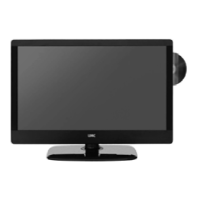
Do you have a question about the UMC X23/50C-BB-FTCD-UK and is the answer not in the manual?
Explains how the digital switchover affects the TV's functionality.
Provides step-by-step instructions for retuning the TV channels.
Covers user cautions, warnings about hazards, and safety guidelines.
Advice on saving packaging for warranty or service needs.
Guidance on how to dispose of the product responsibly.
Lists all accessories provided with the television.
Instructions for connecting aerials and performing initial TV tuning.
Details on initiating the first-time installation and channel scan.
Step-by-step instructions for attaching the television stand.
Guidance on how to safely mount the television to a wall.
Explains the function of each button on the remote control.
Identifies and explains the functions of buttons located on the TV's side panel.
How to select different input sources using remote or TV buttons.
Diagrams and labels for all input/output ports on the rear of the TV.
Guides for connecting DVD recorders, high-definition devices, and camcorders.
How to adjust picture settings like contrast, brightness, and colour.
Explains how to choose between different picture mode presets.
How to control volume, bass, treble, and balance for audio output.
How to choose between different sound mode presets.
Options for tuning Freeview and Analogue TV channels.
How to edit programs and change channel positions.
How to use the Common Interface slot for pay-per-view services.
How to adjust OSD timing and the sleep timer.
How to adjust the duration the on-screen menu stays visible.
Adjusts language, picture size, blue screen, child lock, and reset options.
How to lock TV features, channels, and set volume limits.
Resets the TV for initial tuning and setup.
Restores TV settings to their original factory defaults.
Explains how to use the TV Guide to view program information.
How to access and navigate digital teletext services.
How to access and navigate analogue teletext services.
Steps to connect and configure the TV with Windows PCs.
How to connect a laptop and activate VGA connection.
Automatically configures the TV for PC monitor use.
Adjusts phase delay to reduce picture noise.
Adjusts clock settings to reduce noise within the picture.
Adjusts the horizontal position of the displayed PC picture.
Adjusts the vertical position of the displayed PC picture.
Resets the PC picture position to factory settings.
Basic instructions on how to play DVD discs.
How to adjust TV system settings like NTSC, PAL, or AUTO.
How to select the picture format for DVD playback.
Resets DVD menu settings back to their default values.
How to adjust the tone of the sound output.
How to change sound modes like Stereo, Mono, or Mixed Mono.
How to adjust dynamic range for DVD audio.
Information on changing DVD playback regions.
Instructions for connecting Sky Digital/Virgin Media via SCART.
Instructions for sharing Sky Digital signal using an RF connection.
How to use Sky Digital or universal remotes with the TV.
How to connect a console using SCART and an AV adapter.
How to connect a console using an HDMI cable for best quality.
How to connect a console using Component and audio cables.
Solutions for issues with digital TV channel reception.
Solutions for problems when a DVD disc is not playing.
How to switch subtitles on or off during DVD playback.
Solutions for problems when recording from VCR via SCART.
Details about the TV panel, resolution, contrast, and brightness.
Lists supported input signals like SCART, S-Video, Component, and HDMI.
Information on power consumption, dimensions, and weight.
Information on ordering replacement parts and accessories like remote controls and wall mounts.
 General
| Brand | UMC |
|---|---|
| Model | X23/50C-BB-FTCD-UK |
| Category | TV DVD Combo |
| Language | English |

 To Next Page