Need help?
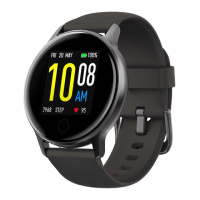
Do you have a question about the UMIDIGI Urun S and is the answer not in the manual?
Explains the functionality of the up and down buttons on the watch.
Guides on charging the device and wearing it correctly.
Steps to download the Paiactive app and begin the watch binding process.
Detailed steps for enabling Bluetooth, selecting the device, and completing the pairing.
Information on real-time synchronization of sports data.
How to use swipe gestures to access different screens and information.
Covers sports modes, heart rate, sleep, and blood oxygen monitoring.
Includes timer, music control, weather, alarms, and app notifications.
Details countdown, sports management, and heart rate testing procedures.
Lists product parameters, cleaning advice, and warranty notes.
Addresses frequent questions regarding app connection, notifications, and Bluetooth.
Covers battery safety, health considerations, cycling, and general warnings.
Details FCC/ROHS compliance and proper disposal of electronic waste.
 General
| Display Type | TFT |
|---|---|
| Resolution | 240 x 240 pixels |
| Bluetooth | Bluetooth 5.0 |
| Water Resistance | 5 ATM |
| Strap Material | Silicone |
| Sensors | Heart rate sensor |
| Compatibility | Android, iOS |
| Screen Size | 1.1 inch |

 To Next Page