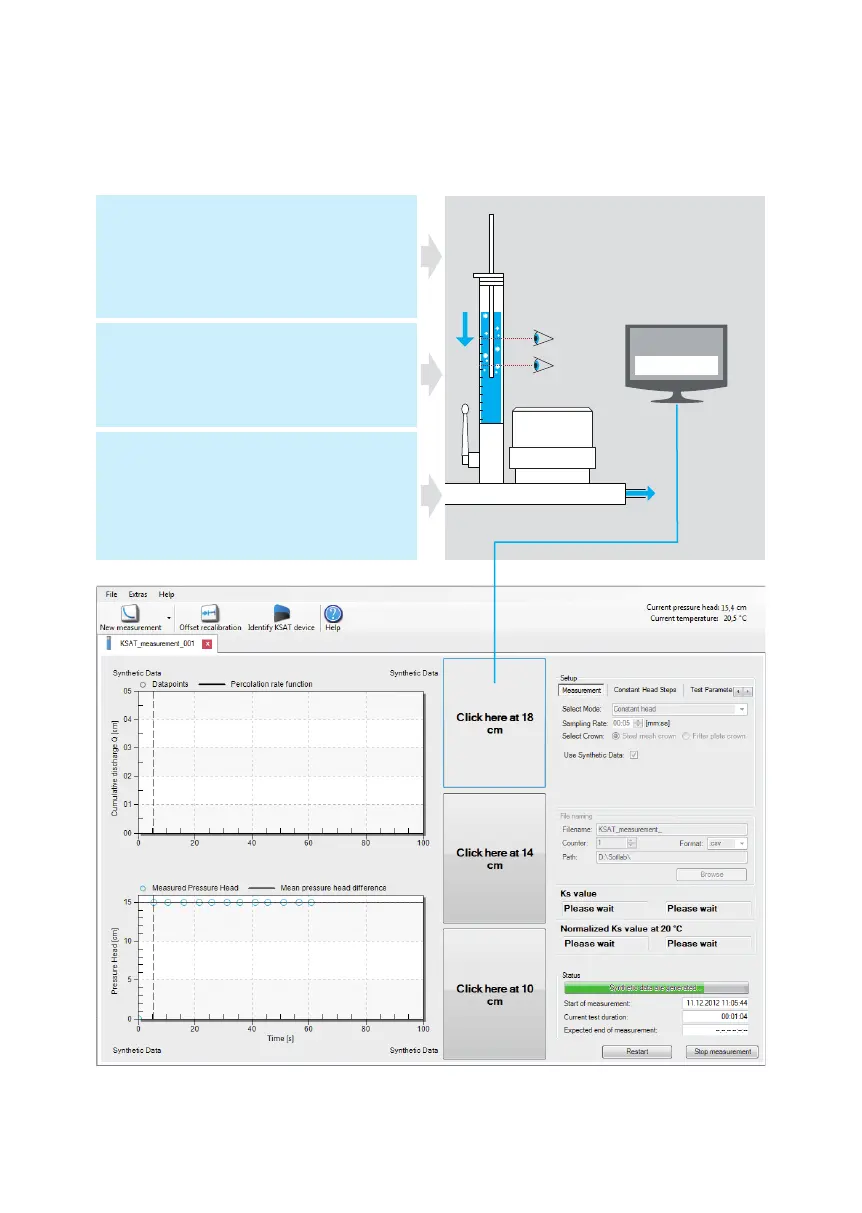
Measuring with constant head technique
Fill burette with up to 20 cm (8 in)
water column.
Insert constant head: capillary bottom
immersed into the water down to e. g.
5 cm (2 in).
Select measuring mode „Constant Head“
in the software.
Enter water column levels you are going
to read.
Press button „Start measuring“ in the software.
Open burette cock quickly.
Press button „Click here“ in the
software when the water column
passes the selected levels.
The typical constant curve shape.
Measuring | 7
0
5
Click here
The typical constant curve shape.


 To Next Page