3 / 12
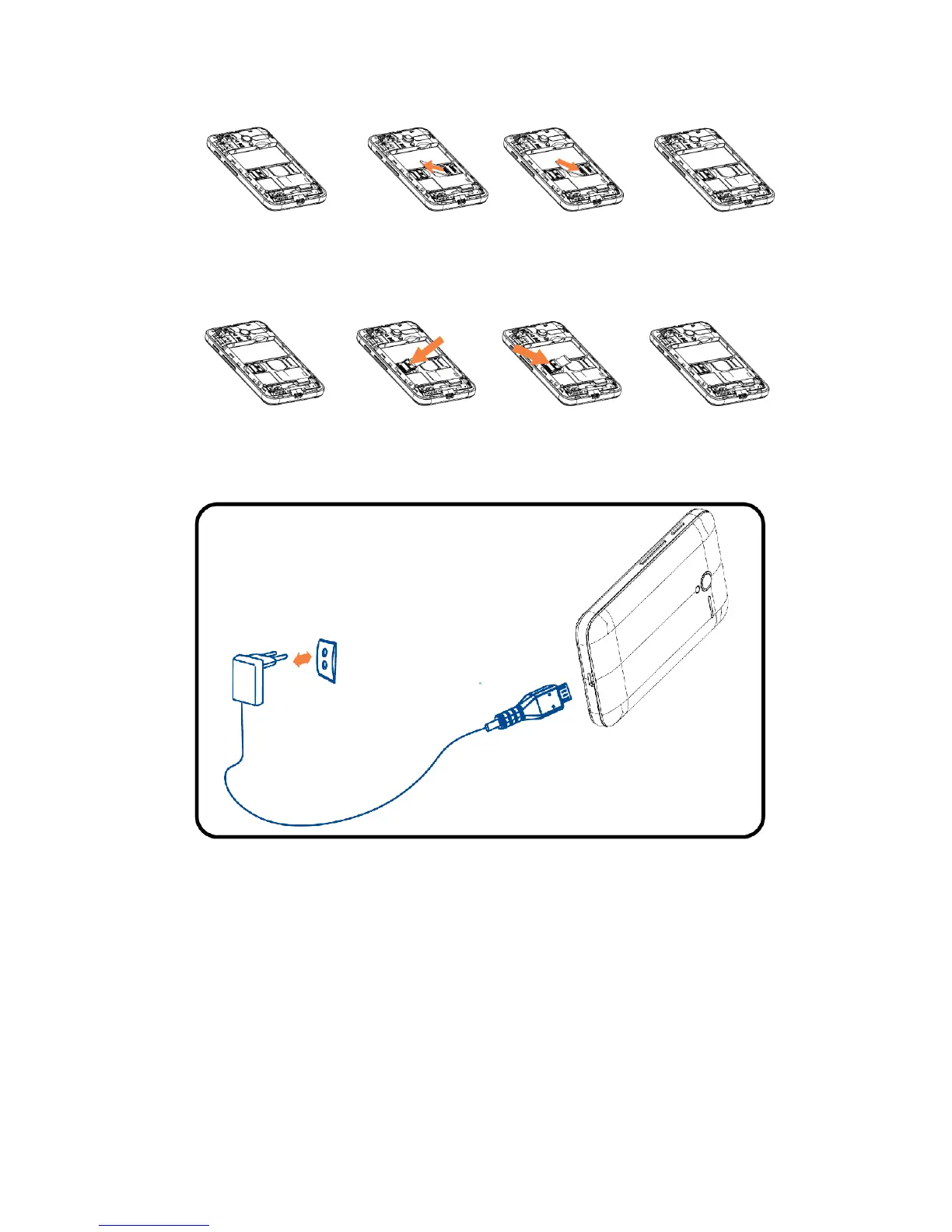
2.3 Inserting and removing TF card
2.4 Inserting and removing SIM
3. Charging the battery
Your mobile phone can monitor and display the battery
state.
Normally the remaining energy of the battery is indicated by
the battery level icon at the upper right corner of the display
screen.
When the battery energy is insufficient, the mobile phone
prompts "Connect charger".
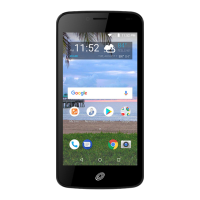
Using a travel adapter:
Install the battery into the mobile phone before charging the
battery.
Connect the adapter of the travel charger with the charging
slot in the mobile phone. Ensure that the adapter is fully inserted.


 To Next Page