Pairing/Syncing Bracelet with your
Device
The next step is to pair the tracker with a mobile device to enable the you see the reports on steps, sleep
tracking, calories burnt on the different activities, heart rate and distance covered for each day, week or month.
To do this, open the “SMART WRISTBAND 2” App downloaded to your device, the “Welcome page” of
the app will be displayed. You will need to register with your email but this is optional.
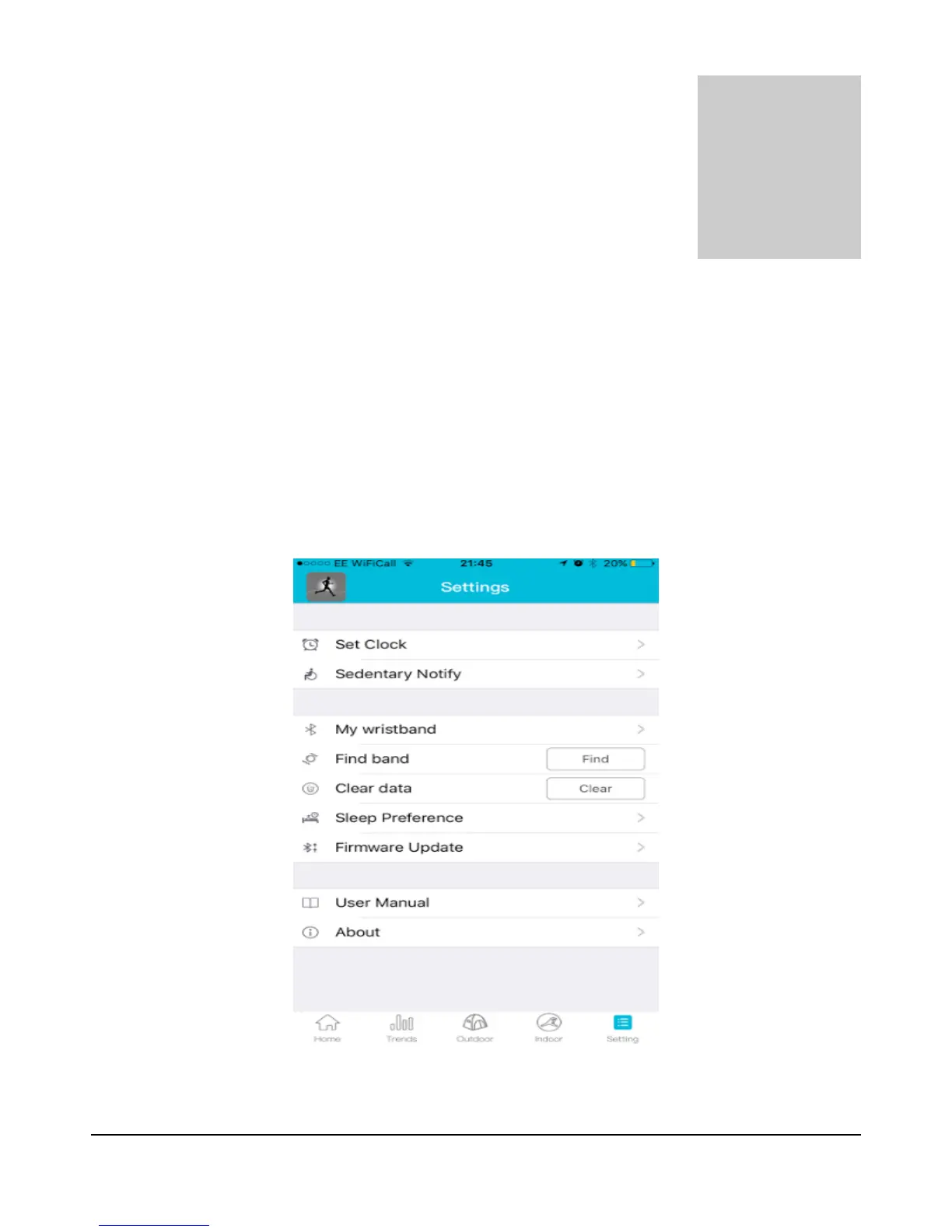
Simply go to the SMART WRISTBAND 2 App go to “Settings” on the bottom right corner of the app.
8


 To Next Page