Getting Setup
EYE MINI LITE USER MANUAL 17
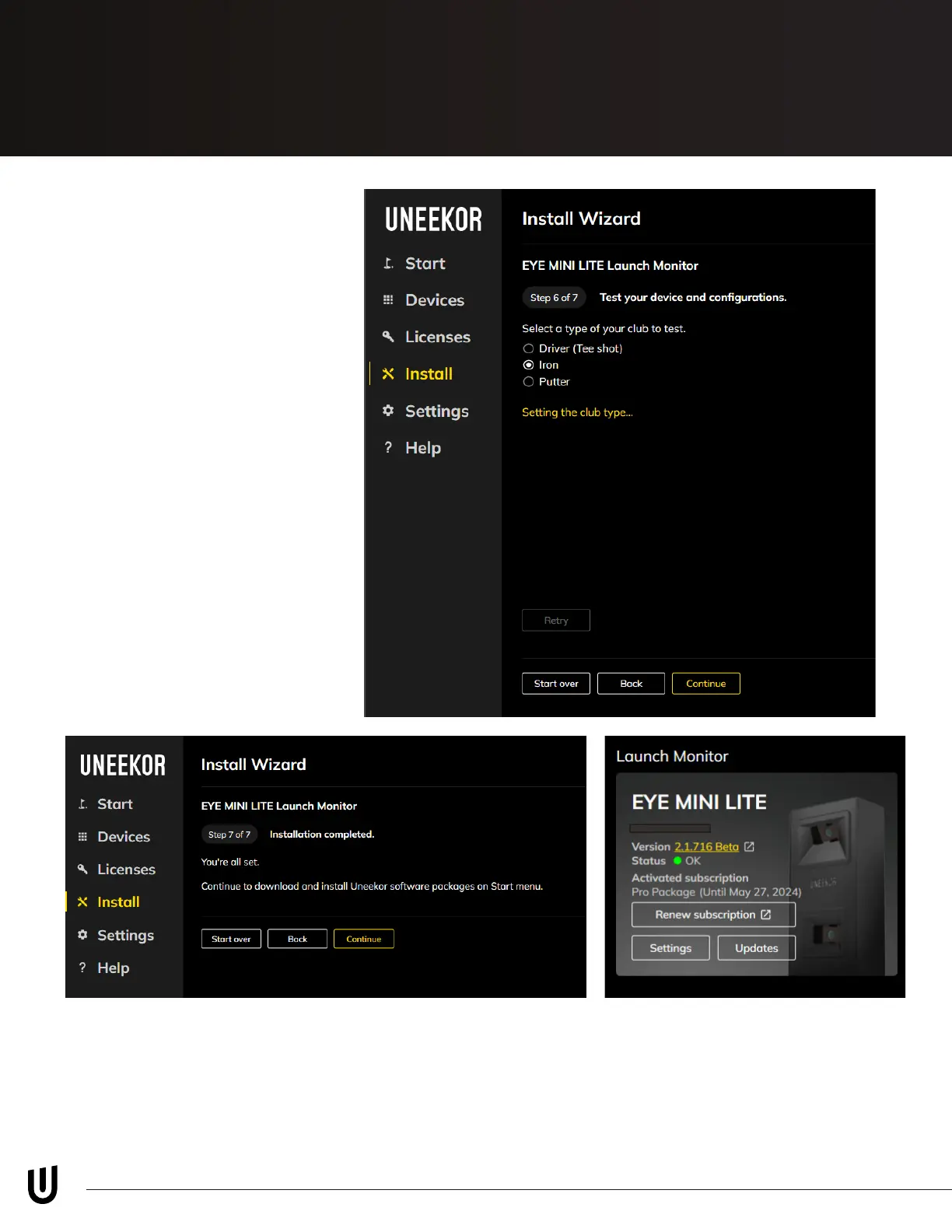
Step 6
Next, it will ask you to take a
test shot. Select the applicable
club you are hitting and place
a ball in the hitting zone.
After you hit a shot, the Club
Optix footage will display the
impact photo and show the
ball speed. If this appears,
then press “Continue” to go to
the last step.
You are now done with the installation process. Please navigate to the “Start” tab to install
your VIEW software, Third-party Connector, and REFINE / REFINE+ (if included with your
purchase).



 To Next Page