8
entry of foreign bodies and animals. In case
of air intake from adjacent non-external
environment, the duct connected to the
generator must terminate in the first room
different from the room of installation.
If the air inlet is direct from outside
in the room of installation, its run
should not have changes of direction
and small mesh grill, as can be easily
clogged.
Refer to the national installation re-
gulations for pellet stoves.
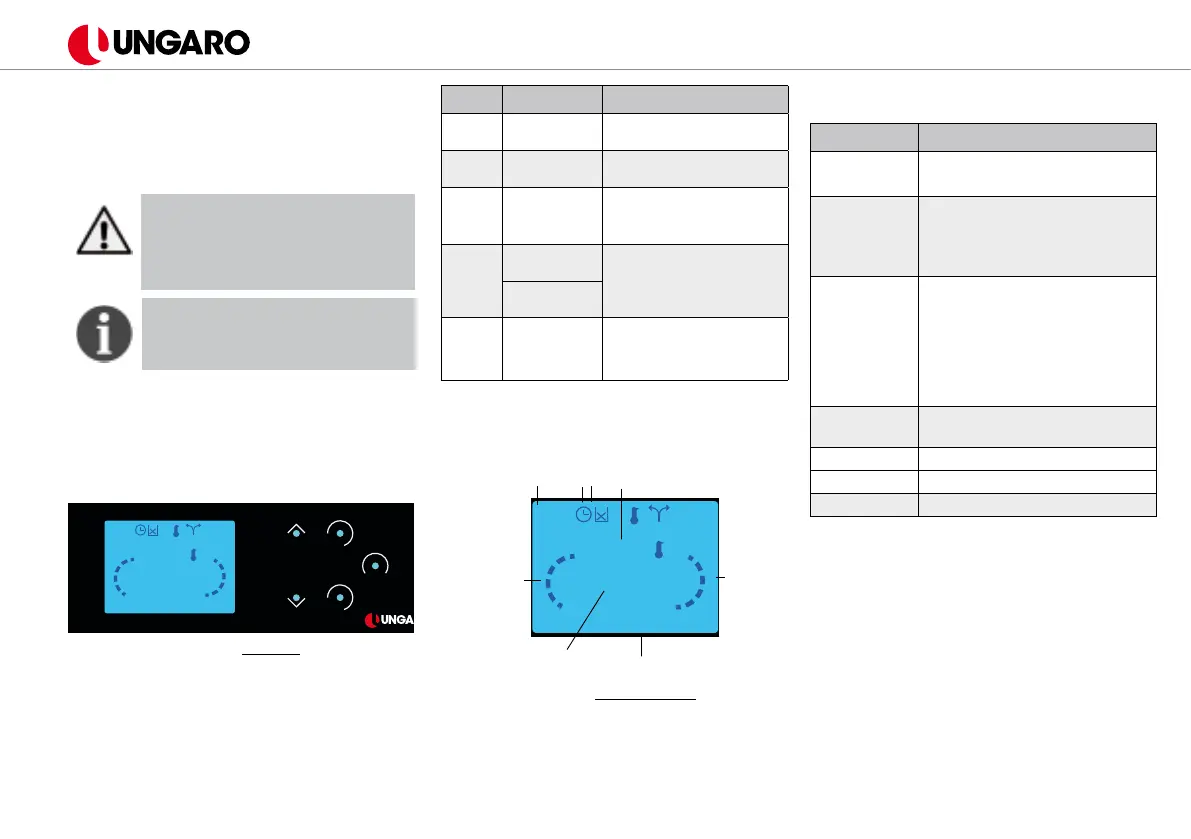
4. Display
4.1 Display
ESC
SET
ON-OFF
!
10:51
25°C
20°
OFF
A
R
1
2
3
4
5
6
g. 9 - Display
Button Description Function
1 ESC
Exit from menu or
submenu
2
ON / OFF,
Error reset
Press and hold 3 second
3 SET
Enter menu / submenu;
Conrm and save modi-
cations.
4 - 6
Scroll
menu
Press the button to
choose the desired
value
Modify
settings
5 Alarm
The red light turns on
when a code relating
to an alarm appears on
the display.
On the figure 10 you can see the main
screen of the display which appears before
ignition.
hour
10:51
25°C
20°
OFF
A
R
room temperature
status
main thermostat
combustion power
heating power
chrono rell
g. 10 Main screen
4.2 Messages
Message Description
Sond
Control of sondes in Check
Up phase
Cleaning
A careful cleaning of the hea-
ter is necessary. Appears au-
tomatically after some hours
of work
Block state
name
The message appears if the
appliance was shut down not
manually in the ignition phase
(after pre-load). The heater
will shut down automatical-
ly when the working cycle is
compleated.
Link Error
Missing connection between
display and motherboard
Cleaning On Cleaning in progress
Soft Mode Soft Mode function
Rell No pellet in the tank
In the following tables is explained the User
Menu N 1 (press SET once to access) and
the User Menu N 2 (press and hold for a
while the button SET to access). Press the
arrow buttons to choose the desired menu
or value, conrm by pressing SET once.
Press ESC to return in the previous menu.
The menus protected with PW are for Un-
garo authorized service technicians. The
presence of some options depends on the
type of conguration set.


 To Next Page
 Loading...