EasyManua.ls Logo

Unicard HID Fargo HDP5000 - User Manual

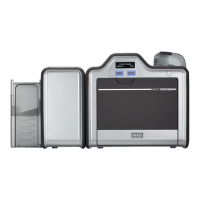
Unicard HID Fargo HDP5000
27 pages
Print Icon
To Next Page IconTo Next Page
Loading...
HID Fargo HDP5000 & HDP5600 Troubleshooting Guide
Unicard Systems Pty Ltd
Unit 35 / 8 Herbert Street
St Leonards NSW 2065
Ph: (02) 9437 1777
Sales: sales@unicard.com.au
Support: support@unicard.com.au
Web: www.unicard.com.au
Question and Answer IconNeed help?

Do you have a question about the Unicard HID Fargo HDP5000 and is the answer not in the manual?

Summary

Permissions and Printer Management

Print Queue and Cancelling Jobs

Printer Driver and Firmware Upgrade

Check Latest Driver and Firmware

Upgrading the Printer Driver

Upgrading the Printer Firmware

Resolving Card Jam

Resolving Image Issues: Leading Edge Gap

Resolving Image Issues: Trailing Edge Gap

Resolving Wrong Ribbon Error Message

Resolving Check Film Error Message

Calibrate the Film Sensor

Resolving Check Ribbon Error Message

Resolving Patchy Image Transfer (Temp Offset)

Resolving Patchy Image Transfer (Dwell Time;Temp)

Adjusting Printed Image Darkness

Resolving Mag Verify Error

Cleaning Card Path Rollers (Alcohol Card)

Cleaning Card Path (Adhesive Card)

Unicard HID Fargo HDP5000 Specifications

General IconGeneral
Print Resolution300 dpi
Card Input Capacity100 cards
Card Output Capacity100 cards
Print TechnologyDye sublimation
Print SpeedUp to 150 cards per hour
Print Speed (full color, single-sided)30 seconds per card
Card Thickness Accepted0.030" - 0.050" / 0.762 mm - 1.27 mm
ConnectivityUSB, Ethernet
Operating System SupportWindows 7, 8, 10, Server 2008, 2012, 2016