2.
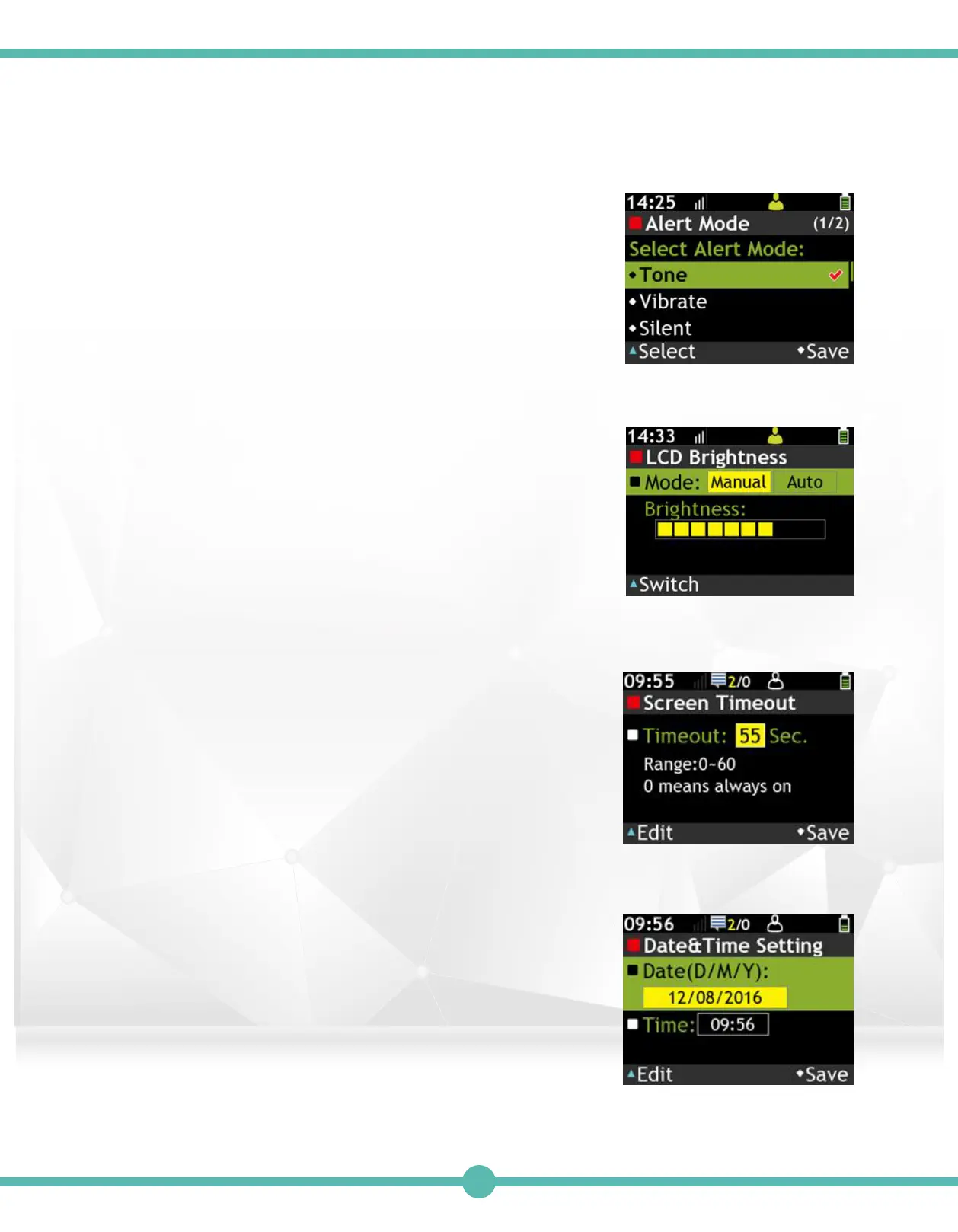
Receive Alert Mode
A. Press the "K1" Key to set highlighted alert mode.
B. Press the "K4" Key to save alert mode.
C. Operation Failed: Message receiving failed.
D. Message Arrived: Text message received.
E. Alarm: Alarm volume
Screen Timeout
Adjust screen backlight timeout.
A. Press the “K1” Key to edit the highlighted value.
B. Use the Navigation key to adjust the highlighted value.
C. Press the “K4” Key to save.
D. Press the “K3” Key to make highlighted value -1.
E. Press the “K4” Key to save.
Date&Time Setting
Adjust the time and date of the pager.
A. Use the Navigation key to move.
B. Press the “K1” Key to edit the highlighted value.
C. Use the Navigation key to adjust the highlighted value.
D. Press the “K4” Key to save.
E. Press the “K4” Key to save.
4.
5.
3.
LCD Brightness
Use the “K1” Key to adjust backlight mode.
A. Press the "K1" Key to switch LCD Brightness Mode.
B. Manual: Night is low level, Day is medium and
Glare is high level of backlight.
41



 To Next Page