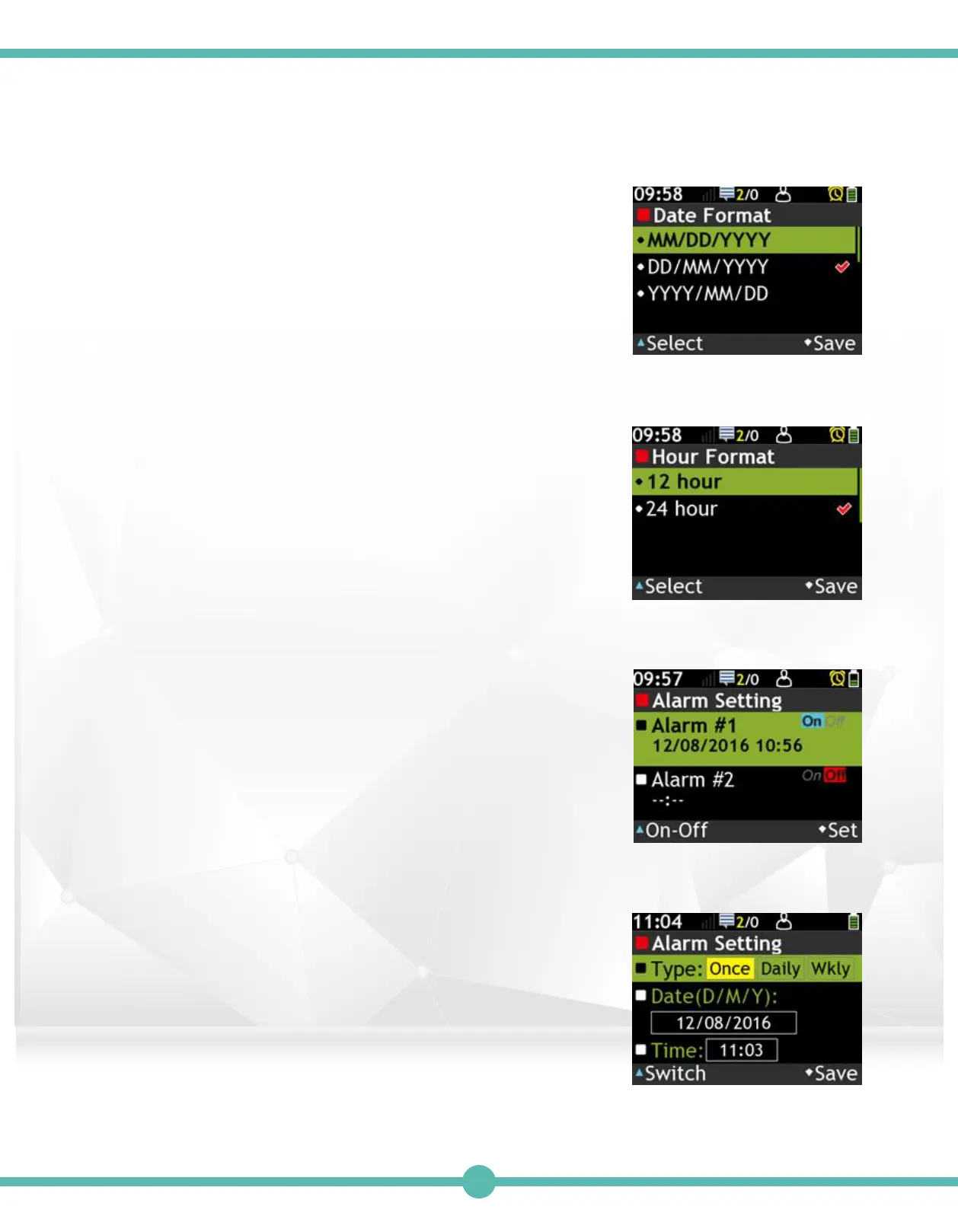
Alarm setting 1:
Set up to 2 sets of Alarms.
A. Use the Navigation key to move.
B. Press the “K1” Key to activate the Alarm.
C. Press the “K4” Key to set.
Date Format
A. Use the Navigation key to move.
B. Press the “K1” Key to select.
C. Press the “K4” Key to save.
Hour Format
A. Use the Navigation key to move.
B. Press the “K1” Key to select.
C. Press the “K4” Key to save.
6.
7.
8.
Alarm Setting 2:
A. Press the “K1” Key to select type.
B. Use the Navigation key to move.
C. Press the “K1” Key to edit the highlighted value.
D. Use the Navigation key to adjust the highlighted value.
E. Press the “K4” Key to save.
8.
42



 To Next Page