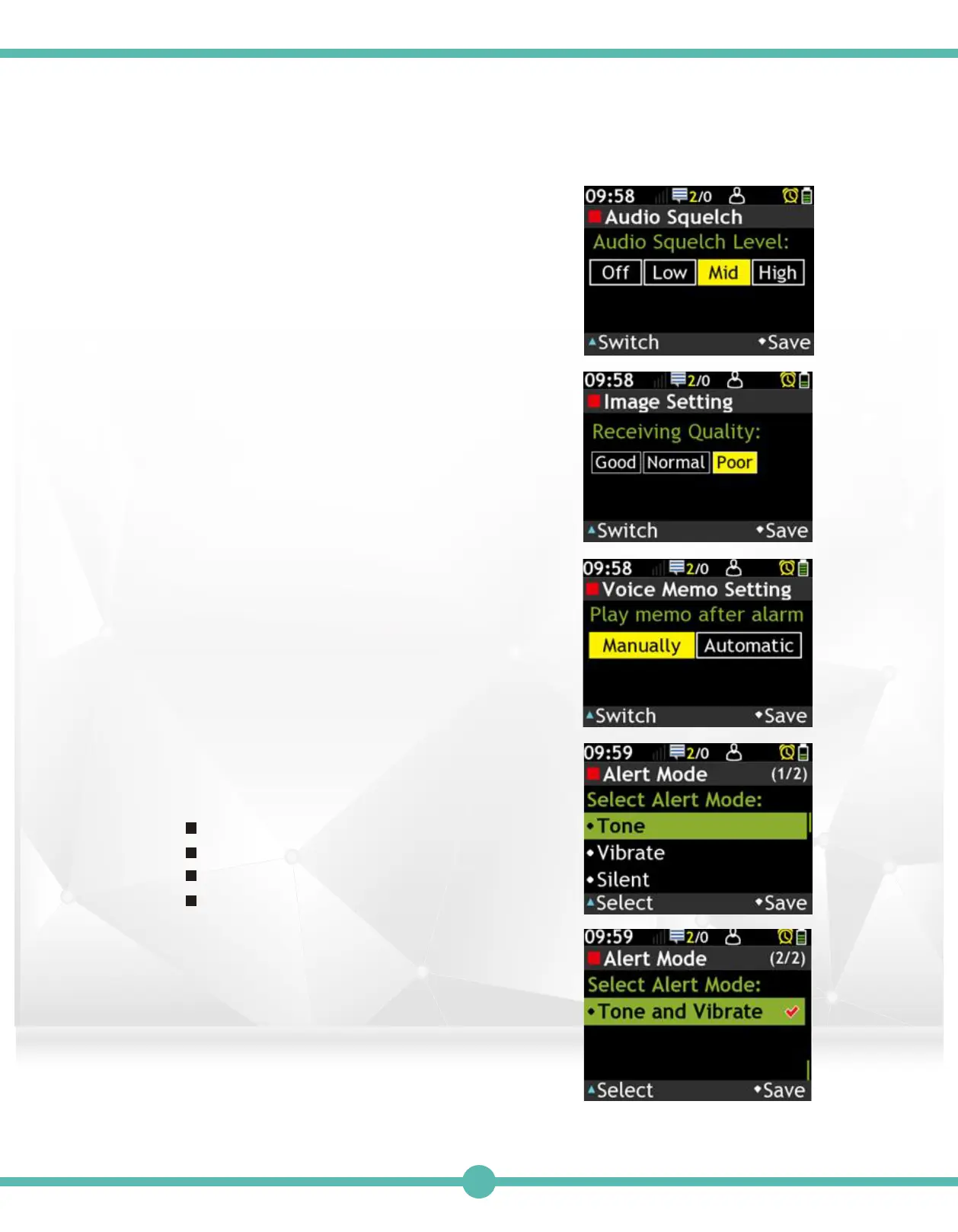
Audio squelch
A. Press the “K1” Key to switch.
B. Press the “K4” Key to save.
Image Setting
A. Press the “K1” Key to switch.
B. Press the “K4” Key to save.
Voice Memo Setting
A. Press the “K1” Key to switch.
B. Press the “K4” Key to save.
9.
10.
11.
Receive Alert Mode
Select Alert Mode.
There are 4 modes:
Tone: Tone only.
Vibrate: Vibrate only.
Silent: Mute mode.
Tone and Vibrate: Both.
A. Use the Navigation Key to move.
B. Press the “K1” Key to select.
C. Press the “K4” Key to save.
12.
43



 To Next Page