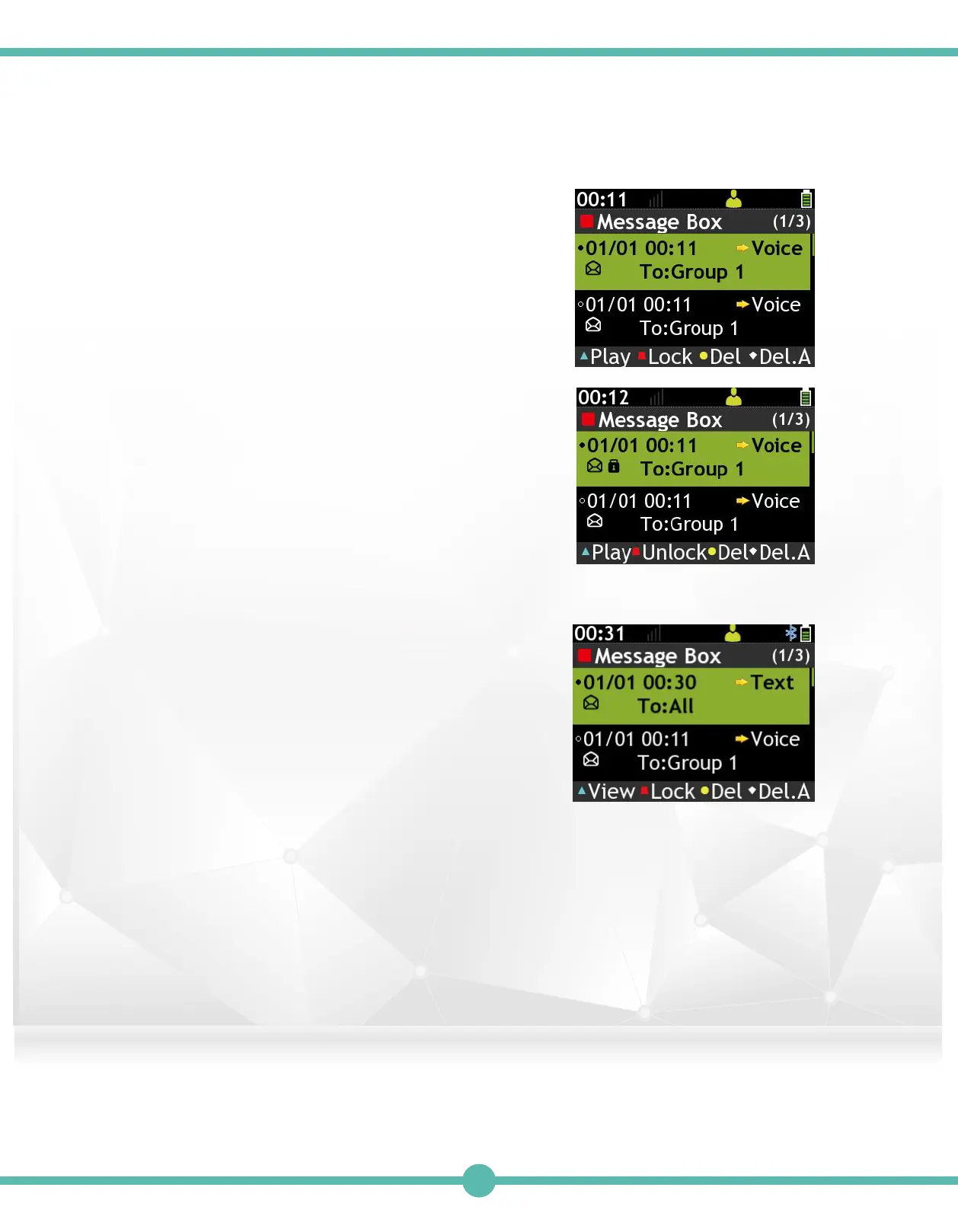
List of Voice Messages
A. Press the "K1" Key to read (Play)
highlighted messages.
B. Press the "K2" Key to Lock/Unclock
highlighted message. A Lock icon
appears on a locked message.
C. Press the "K3" Key to delete (Del)
highlighted messages.
D. Press the "K4" Key to delete all (Del.A)
highlighted messages.
Lock icon shows on a locked message
Enter Message Box Voice Call Message)2.
Enter Message Box (Text Messages).
List of Text Messages
A.Press the "K1" Key to read(View)
highlighted message.
B.Press the "K2" Key to Lock/Unclock
highlighted message.A Lock icon shows
on a locked message.
C.Press the "K3" Key to delete(Del)
highlighted message.
D.Press the "K4" Key to delete all(Del.A)
highlighted message.
3.
31



 To Next Page