Voice Memo Box
If there is no voice memo, press the
"K1" key to start recording.
A. Press the "K1" key to pause.
B. Press the "K4" key to save the voice
memo.
C. Press the "K1" key to set the voice
memo as alarm.
D. Press the "F2" key to return to the
Voice Memo box.
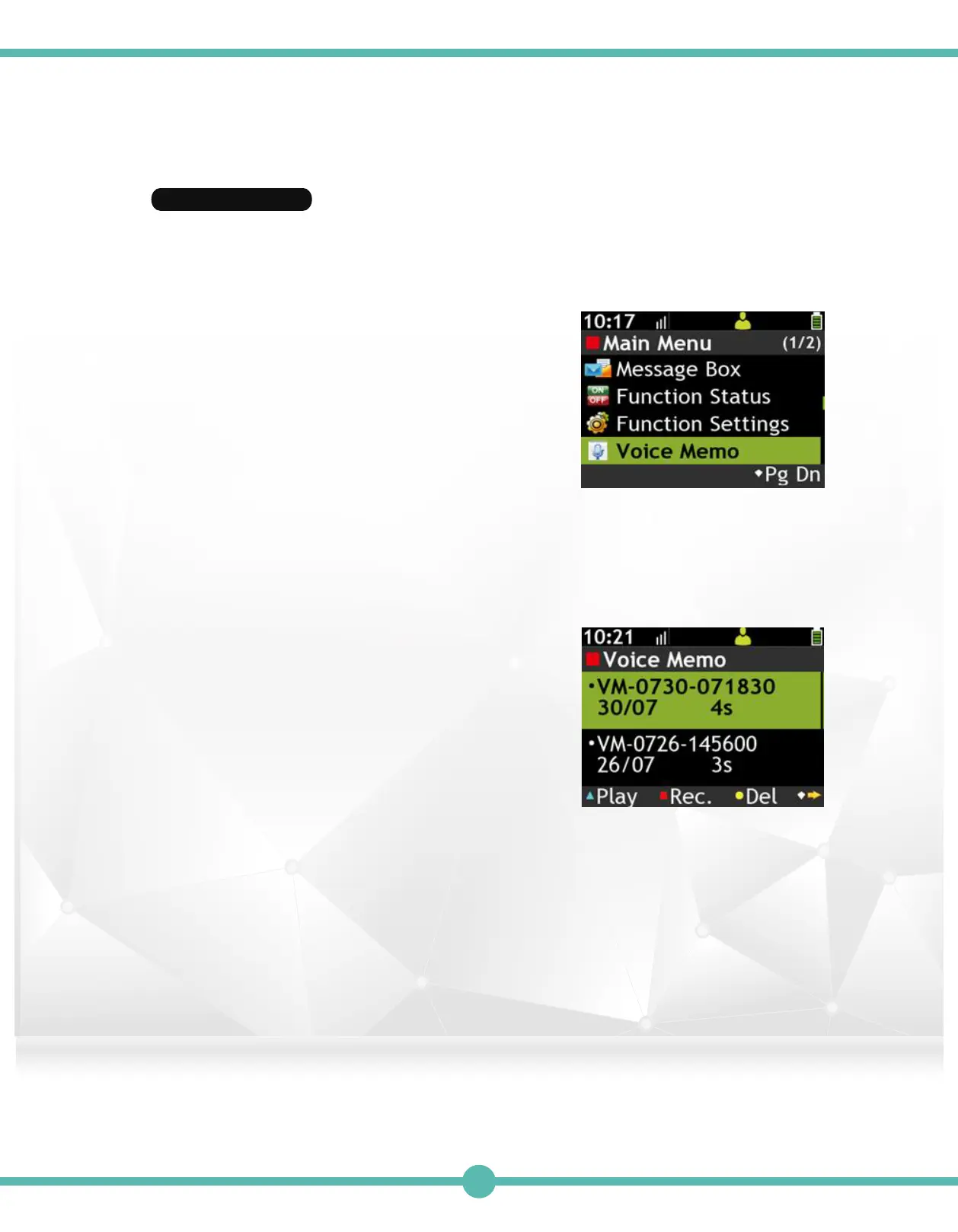
Use the Navigation Key to select the
Voice Memo Box in the Main Menu
Enter Voice Record Box1.
Voice Memo3.
Record a New Voice Memo2.
Features page 1:
A. Press the “K1” Key to play the highlighted
voice memo.
B. Press the "K2" Key to Record a new
vioce memo.
C. Press the "K3" Key to delete the
highlighted item.
D. Press the “K4” Key to switch to features
page 2.
Features page 2:
E. Press the “K1” Key to lock/unlock the highlighted
item.
F. Press the "K2" Key to set highlighted voice memo as an Alarm.
G. Press the "K3" Key to delete all items.
38



 To Next Page