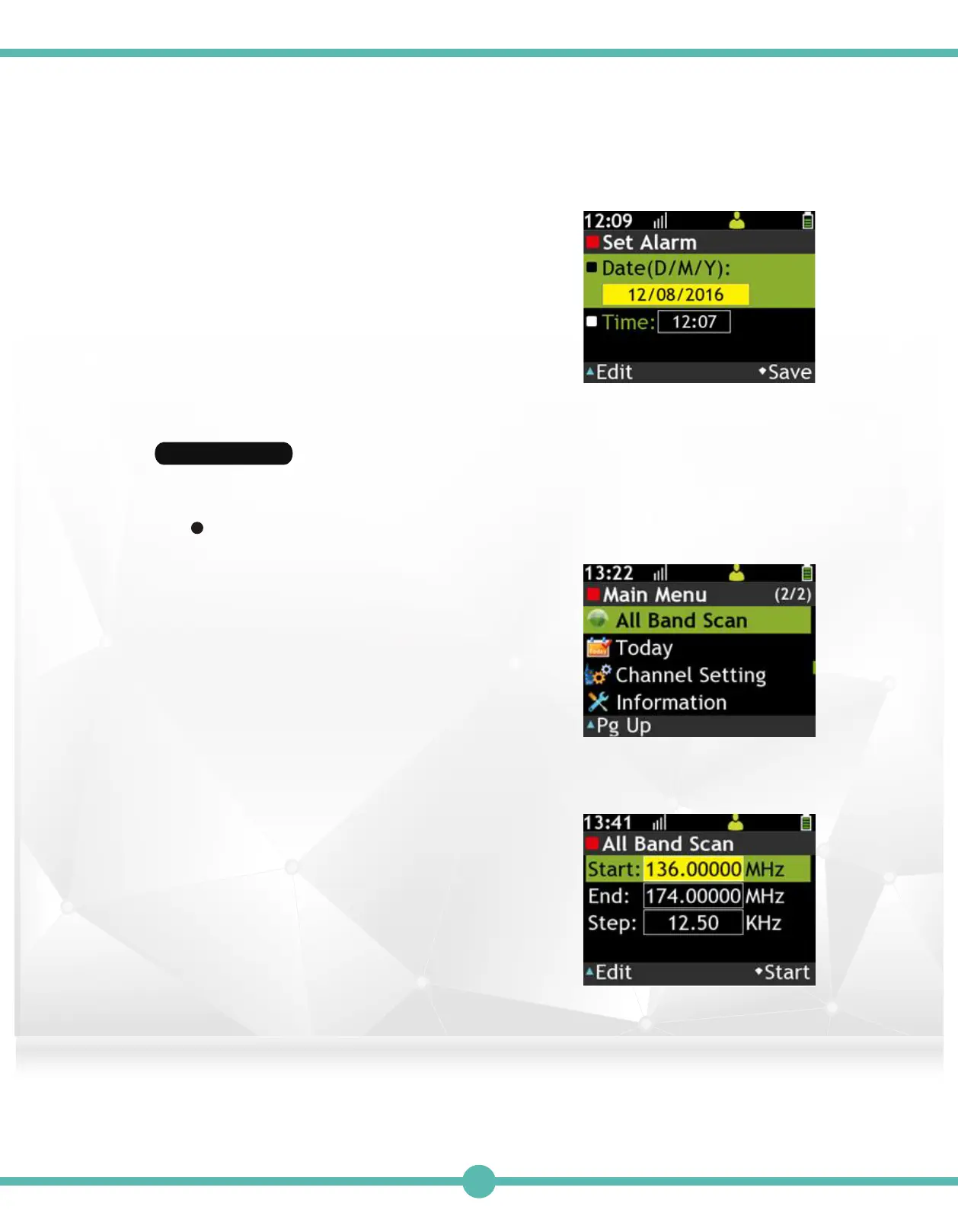
Set Alarm4.
A. Press the "K1" Key to set highlighted
Date D/M/Y.
B. Press the "K1" Key to set highlighted
military time.
C. Press the "K4" Key to Save.
All Band Scan
Enter All Band Scan1.
2.
Set a range to scan, or view the scanned channel
list.
Enter Voice Record Box:
A. Use the Navigation Key to select
"All Band Scan" in the Main Menu.
B. Choose "Start a New Scan" or select
"Active Freq. List".
Start a New Scan:
Set scan range, band and frequency step.
A. Use the Navigation Key to move.
B. Press the “K1” Key to set the highlighted
item. Use the Navigation Key to adjust
numeric value.
C. Press the “K4” Key to start scanning.
D. Press the "K1" Key to pause scanning.
E. Press the "K4" Key to stop scanning.
39



 To Next Page