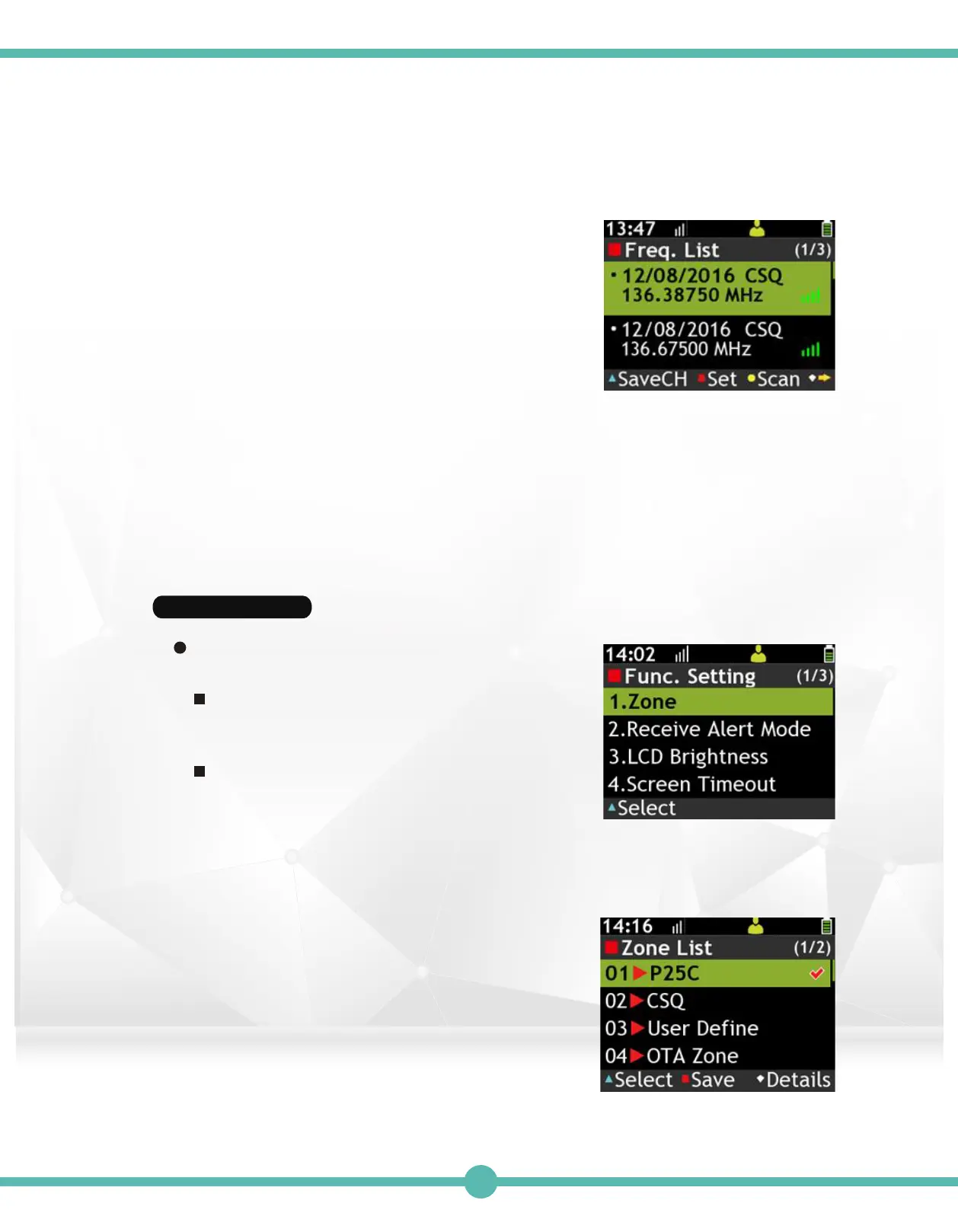
Active Frequency List 3.
Features page 1:
A. Use the Navigation Key to move.
B. Press the “K1” Key to monitor the highlighted
channel.
C. Press the “K2” Key to lock the highlighted channel.
D. Press the "K3" Key to scan locked channels.
E. Press the "K4" Key to switch to features page 2.
Features page 2
F. Press the "K1" Key to View Details.
G. Press the "K2" Key to delete the highlighted channel.
H. Press the “K2” Key to lock the highlighted channel.
I. Press the "K3" Key to delete all scanned channels.
J. Press the "K4" Key to switch to Features, page 1.
Function Setting
View and manage pager basic function.
Enter Function Status:
Use the Navigation Key to select Function
Settings in the Main Menu.
Basic Operation:
Use the Navigation Key to select function.
Press the "K1" Key to start setting.
1.
Zone:
A. Press the "K1" Key to set highlighted channel.
B. Press the "K2" Key to save select channel.
C. Press the "K4" Key to view channel Details.
40



 To Next Page