EasyManua.ls Logo

UniControl ROVER - User Manual

UniControl ROVER
2 pages
Print Icon
To Next Page IconTo Next Page
Loading...
QUICK GUIDE
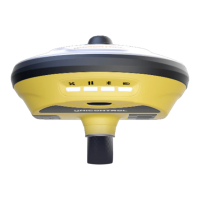
ROVER
BATTERY STATUS
Green: 30% - 100%.
Flashing green: 10% - 30% (speaker will beep).
Flashing red: Below 10%.
DATALINK STATUS
Green: Ready to start.
Flashing green: Transmitting data normally.
Flashing blue: Shows data-pace with raw data recording enabled.
SATELLITE STATUS
Off: No satellite data.
Green: Fixed solution.
Flashing red: Processing satellite data.
Flashing green: Satellite position acquired but no fix.
Flashing red and green: Critical error.
V. 1.1
INDICATOR LIGHTS
VOLUME
ON/OFF BUTTON
PUSH: UNICONTROL APP
HOLD: QUICK SUPPORT
RETURN/DEFALUT VIEW
HOME SCREEN
CHANGE APP
POWER BUTTON
When turning off, press and hold for 8 sec (until short beep).
BLUETOOTH
Blue: Bluetooth Connection enabled
NANO-SIM
Question and Answer IconNeed help?

Do you have a question about the UniControl ROVER and is the answer not in the manual?

Summary

Indicator Lights Overview

Satellite Status Indicators

Explains different indicator light states for satellite data reception and fix status.

Datalink Status Indicators

Describes indicator light patterns for data transmission and recording status.

Bluetooth Connection Indicator

Details the indicator light for Bluetooth connection status.

Battery Status Indicators

Outlines indicator light colors and patterns for battery charge levels.

Power Button Operation

Explains the function and operation of the power button indicator.

Navigation Controls

Push Button Functions

Details the functions accessed by pushing buttons for job type, slope, measurement settings, and more.

Hold Button Functions

Outlines functions accessed by holding buttons for project, height offsets, and point lists.

View and Interaction Controls

Describes controls for changing views, zooming, moving, and choosing items on the interface.

Job Types and Operations

Load Design File

Procedure for loading an XML design file into the system for project use.

Create Surface

Steps for creating surfaces from points or defining flat surfaces for projects.

Export Design File

Process for exporting project designs in XML or DXF file formats.

UniControl ROVER Specifications

General IconGeneral
BrandUniControl
ModelROVER
CategoryReceiver
LanguageEnglish