Unicorn series User Manual
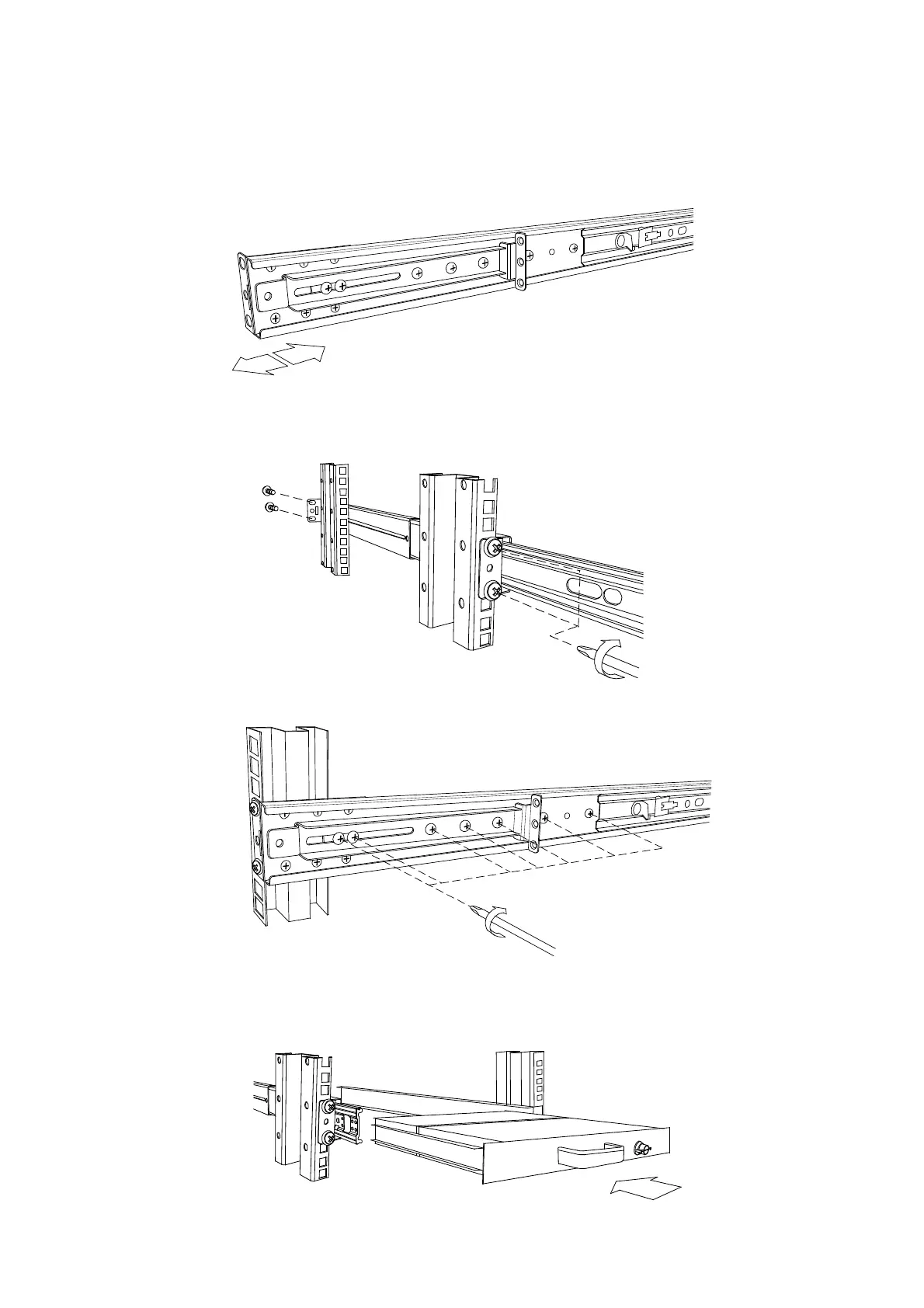
3. Adjust rail to fit your cabinet
4. Install front and rear bracket on cabinet.
5. Tight seven screws up.
6. Repeat step 1~5 for the other side.
7. Push console into rails. (Be careful rear box loose when take out console from
carton.)



 To Next Page