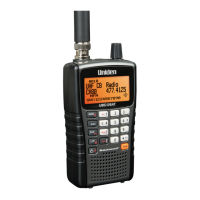
GPS Mode
This page applies only to the BCT15X. For other models see:
● BCD396XT and BC346XT GPS Mode
● BCD996XT GPS Mode
You must have a compatible GPS receiver connected!
● GPS Mode
❍ See Also
❍ Reading the display in GPS mode
■ GPS Data display
■ ETA / Clock / Elevation / Speed Display
■ Location Display
■ Location Alert display
■ Location review display
■ Keypad controls in GPS Review Location Mode
■ Keypad controls in GPS Mode
See Also
GPS mode is only one small part of location-based scanning. For more information on using your scanner with a GPS receiver, see the
following links:
Location-based Scanning contains
● an overview of why you might want to use a GPS receiver with your scanner
● an explanation of two different approaches to location-based scanning
● some information on finding antenna locations
Programming locations contains
● details on how to program locations for systems, sites, and channels
● details on how to program Points of Interest ( POI ), Dangerous Roads, and Dangerous Intersections ( Dangerous Xing )
● information on reviewing and editing locations
Connecting a GPS receiver contains
● details on which GPS receivers are compatible
● instructions on connecting a GPS receiver
● troubleshooting tips if you can't the receiver working with the scanner
Reading the display in GPS mode
There are several displays available in GPS mode.
GPS Data display
file:///C|/Documents%20and%20Settings/POpitz/My%20...ents/temp/CDImage_090515/Manual/BCT15XGPSMode.html (1 of 5)5/26/2009 11:13:07 AM


 To Next Page