17
#Some of the functions may not be available under the power failure back
up system.
Multi-Handset Features
Conference Calling
•When an outside call comes in, two handsets can join in a
conference call with the outside caller.
•To join a call that’s already in progress, just press TALK/FL ASH or
SPEAKER.
•To leave the conference call, hang up normally; the other handset
remains connected to the call.
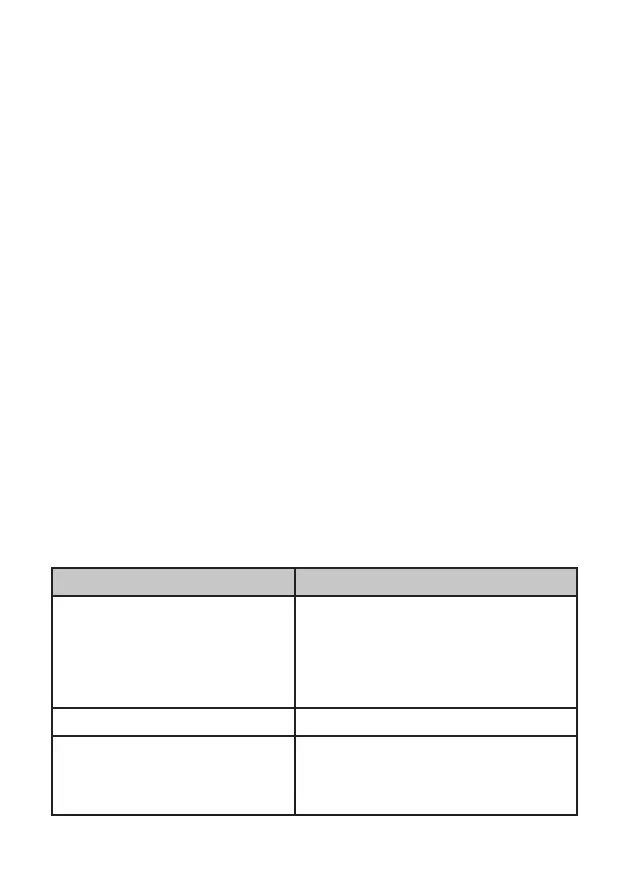
To... Press...
transfer a call INTCOM/CLEAR. The phone puts
the call on hold and prompts you to
select the handset you want to page.
When the other handset accepts the
call, you’ll be disconnected (press
TALK/FL ASH to rejoin the call).
cancel a transfer TALK/FL ASH to return to the call.
accept a transferred call INTCOM/CLEAR
to answer the page
and speak to the other handset.
Then, press TALK /FLASH
to speak
to the caller.
Call Transfer
#To use the features in this section, you need at least 2 handsets.
•Your base supports a total of 6 cordless handsets: the one that came
with the base and up to 5 DECT 1705 accessory handsets.
•You must register accessory handsets to the base before using
them. (Handsets that came packaged with the base are already
registered.)
•Handsets that aren’t registered display a Not Registered message.
For registration instructions, see page 28, or see the accessory
handset manual.
•If a handset was ever registered to a base, you must reset it before
it can register to a new base; see page 28, or see the accessory
handset manual.



 To Next Page