Need help?
Do you have a question about the Uniden Guardian G955 and is the answer not in the manual?
Explains the manual's structure and sections for easier navigation.
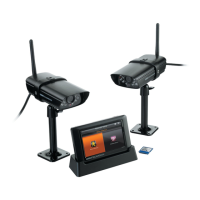
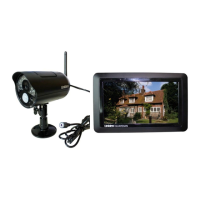
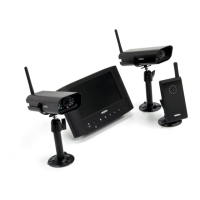
Lists all the items included with the Uniden G955 system.
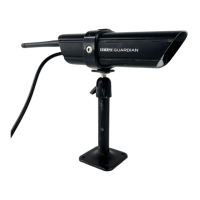
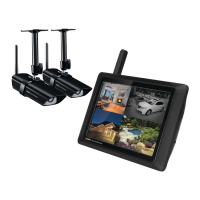
Identifies and describes the G955 monitor and camera components.
Step-by-step instructions for powering on and initial setup of the monitor.
General guidelines and placement considerations for mounting camera stands.
Instructions on how to securely attach the camera to its stand.
How to configure individual camera settings like brightness and motion detection.
Configuring overall system parameters like power saving and time.
Options for customizing video recording behavior, such as motion detection and schedules.
Overview of the main viewing screen, its icons, and default behavior.
Detailed explanation of each icon used on the system's interface.
How to switch between Quad and Full view modes for camera feeds.
Instructions on how to use the digital zoom feature for detailed viewing.
Step-by-step guide to start and stop recording video from cameras.
Instructions on how to access and play previously recorded video files.
Procedures for deleting individual recorded files or entire folders.
Steps to pair and add new cameras to the surveillance system.
Introduces the section that details the system's various screens.
Describes the main settings screen and its available sub-screens.
Details the options available for configuring cameras.
Step-by-step instructions for pairing cameras with the monitor.
How to enable or disable individual cameras in the system.
Adjusting the video brightness for each camera.
Access point for configuring recording modes and schedules.
Setting up motion detection for automatic recording.
Configuring email notifications for motion detection events.
Setting up timed recordings based on a schedule.
Configuring the system's connection to the internet.
Setting a passcode for secure remote access.
Displays detailed network status and system identification.
Setting the duration for which the alarm sound will play.
Selecting a specific sound for the alarm.
Enabling a mode to conserve power by turning off the monitor's LCD.
Activating a feature to lock the screen after a period of inactivity.
Configuring clock alarms, system time, and time zone settings.
Managing the microSD card, including formatting and overwrite settings.
Instructions for downloading and installing firmware updates.
Changing the system's display language.
Setting up the alarm clock functionality for specific times.
Manually adjusting the system's date and time.
Setting the appropriate time zone for accurate logging.
Provides access to a list of frequently asked questions and tips.
Introduction to remote viewing capabilities and technology.
Lists the necessary hardware and software for remote access.
Step-by-step guide to connect the system to the internet.
Instructions for connecting to a local home network for viewing.
Guide to creating a Uniden portal account for remote access.
Instructions for recording video through the online portal.
Instructions for capturing snapshots via the online portal.
How to find and enter the system's unique DID code.
How to enter the security code for accessing the system remotely.
Setup and usage guide for the Guardian 2 app on Android devices.
Setup and usage guide for the Guardian 2 app on iOS devices.
Initial setup steps for connecting the G955 system to the app.
Describes how to navigate and use the Guardian 2 app's features.
Initial setup steps for connecting the G955 system to the iOS app.
Describes how to navigate and use the Guardian 2 iOS app's features.
Instructions for checking and updating the system's firmware.
Guidance on cleaning and maintaining the monitor and cameras.
How to manage storage space by transferring or reformatting files.
How to clean the monitor screen to maintain clarity.
Cleaning the camera lens and glass for optimal performance.
Step-by-step guide to transfer recorded files to a PC.
Troubleshooting common problems with the motion sensor.
Resolving problems encountered when playing recorded video clips.
Addressing issues where scheduled recordings fail to occur.
Troubleshooting poor video quality or no signal from cameras.
Technical specifications for the wireless communication components.
Technical details regarding image resolution and processing.
General technical specifications for the camera and monitor.
Safety warnings and precautions for the lithium-polymer battery.
Guidelines for the proper recycling and disposal of the equipment.
Regulatory compliance statements and certifications for the device.
Specific compliance details related to FCC Part 15 rules.
Requirement to provide proof of purchase for warranty claims.
Defines the time period for which the warranty is valid.
Outlines the warranty service process and remedies.
Information on user's legal rights and warranty variations.
 General
| Camera Resolution | 720p HD |
|---|---|
| Number of Cameras | 2 |
| Night Vision | Yes |
| Mobile App | Yes |
| Motion Detection | Yes |
| Two-Way Audio | Yes |
| Remote Viewing | Yes |
| Type | Wireless Security System |
| Sensors Included | No |
| Power Source | AC Adapter |
| Remote Control | No |
| Installation | DIY |
| Wireless Technology | Wi-Fi |
| Local Storage | MicroSD card |
| Warranty | 1 Year |
| Storage Type | MicroSD card (up to 128GB) |
| Wireless Range | 500 feet |

 To Next Page