
 To Next Page
K
Kimberly SmithJul 28, 2025
Why does my Uniden R4 Security Sensors unit alarm briefly in the same location?
- TTimothy RobinsonJul 29, 2025
This may happen if there is a motion sensor or house alarm in use within range.

Why does my Uniden R4 Security Sensors unit alarm briefly in the same location?
This may happen if there is a motion sensor or house alarm in use within range.
What to do if my Uniden Security Sensors R4 did not alert when a police car was in view?
The officer may not have radar/laser units turned on. Check that the band is turned on. Press MENU and cycle through the options to get to the bands. If the band is turned off, the OLED will show OFF. Turn the band on.
What to do if my Uniden Security Sensors vehicle starts but the R4 does not turn on?
First, verify that the power cord is securely connected to the unit and inserted into the cigarette lighter jack. If that doesn't work, change the fuse in the power cord (spare fuse not included) by unscrewing the cigarette lighter plug to access the fuse.
What to do if my Uniden R4 unit won’t turn on?
Check the connections to ensure they are all secure.
What to do if my Uniden R4 Security Sensors have no display or audio?
If there is no display, check the connections and be sure they are secure. If there is no audio, check if Voice is turned off.
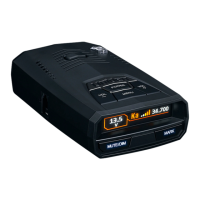
Lists and describes elements of the R4 not associated with keys, such as ports and indicators.
Instructions for mounting the R4 on a windshield or dashboard and connecting power.
Configures sensitivity levels for X, K, and Ka bands across different driving modes.
Sets the speed threshold for automatic switching between Highway and City modes.
Enables or disables GPS functionality, impacting location-based features.
Notifies the user about nearby speed cameras when GPS is enabled.
Notifies the user about nearby red light cameras when GPS is enabled.
Configures automatic volume muting for alarms and automatic OLED brightness.
Allocates storage points between Mute Memory and User Marks.
Defines the order of importance for different types of alerts displayed on the OLED.
Adjusts signal reception sensitivity to filter weaker signals in Advanced mode.
Sets specific times for the OLED to automatically adjust brightness levels.
Configures the OLED to show the current driving mode (e.g., Highway, City).
Sets the OLED to display a visual indicator of the scanning process.
Configures the OLED to show the current time when no alerts are active.
Basic physical care instructions for the radar detector unit.
Details on compliance with Part 15 of the FCC rules for digital devices.
 General
| Type | Radar Detector |
|---|---|
| Detection Range | Extreme Long Range |
| GPS Technology | Yes |
| Red Light and Speed Camera Alerts | Yes |
| Voice Alerts | Yes |
| Auto Mute Memory | Yes |
| City/Highway Modes | Yes |
| Bands Detected | X, K, Ka, Laser |
| Display | OLED |
| Dimensions | 104 mm x 74 mm x 33 mm |
| Weight | 177 g |