EasyManua.ls Logo

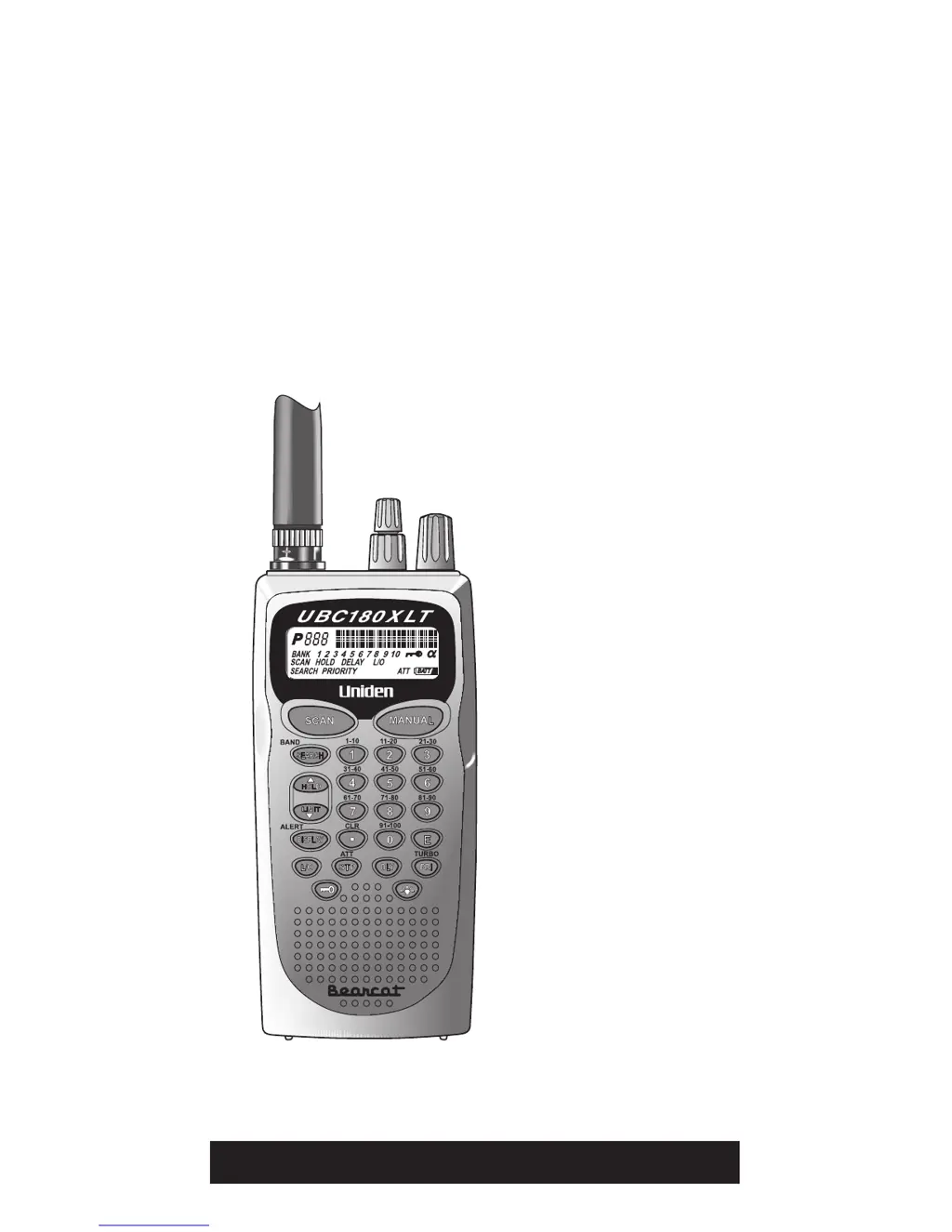
Uniden UBC180XLT - User Manual

Uniden UBC180XLT
36 pages
Print Icon
To Next Page IconTo Next Page
Loading...
UBC180XLT
100-Channel
Programmable
Twin Turbo
Hand-Held
Sports
Scanner
OPERATING GUIDE
1
Y:...UBC180XLT(7_15).vp
Tue Jul 15 16:15:05 2003
Color profile: Disabled
Composite Default screen

Questions and Answers

  • P
    Phillip BrowningJul 31, 2025
    How to fix Uniden UBC180XLT scanner that won't work?
    • B
      bmorrisJul 31, 2025
      If your Uniden Transmitter scanner isn't working, start by verifying the power connections and ensuring the power switch is turned on. Also, check the volume and squelch settings to make sure they are properly adjusted.
  • J
    Jeffrey MorrisAug 4, 2025
    Why is my Uniden UBC180XLT Transmitter scanner reception so bad?
    • M
      melissatownsendAug 5, 2025
      If you're experiencing improper reception with your Uniden Transmitter, first check the antenna connection to ensure it's secure. You might be in a fringe area, so try repositioning the scanner to improve reception.
  • D
    danielwhiteAug 10, 2025
    What to do if Uniden UBC180XLT Transmitter scan won't stop?
    • A
      April BarnesAug 10, 2025
      If the scan function on your Uniden Transmitter won’t stop, try adjusting the Squelch Control. Also, check the antenna connection. It's possible that none of the programmed frequencies are active at the time; in this case, try Band Search.
  • M
    Mr. Steven NormanAug 15, 2025
    Why won't my Uniden UBC180XLT scan start?
    • Y
      Yolanda AllenAug 15, 2025
      If the scan function on your Uniden Transmitter won't start, ensure that you have programmed channels into the device. You should also adjust the Squelch Control.
  • R
    Robert LevyAug 19, 2025
    How to unlock keypad on Uniden UBC180XLT?
    • T
      Timothy SandersAug 19, 2025
      If the keypad on your Uniden Transmitter isn’t working, check the Keypad Lock to ensure it is not enabled.
  • D
    doylekathleenAug 26, 2025
    What to do if Uniden UBC180XLT Transmitter search won't start?
    • W
      whudsonAug 26, 2025
      If the search function on your Uniden Transmitter won’t start, try adjusting the Squelch Control.

Summary

Precautions

Safety Warnings

Grouping warnings about water, earphones, and volume levels for user protection.

Battery Precautions

Covering warnings for Nickel-Cadmium battery use, charging, and disposal.

About Your New UBC180 XLT

What is Scanning?

Explains the process of scanning programmed channels for transmissions.

What is Searching?

Describes finding active frequencies within bands or programmed ranges.

Types of Communication

Monitored Communication Types

Lists various types of radio communications the scanner can receive.

Unpacking

Scanner Package Contents

Details the items included in the UBC180XLT scanner box.

Feature Highlights

Core Technologies

Focuses on the Twin Turbo Scan & Search speed capabilities.

Memory and Programmability

Covers channel storage, banks, alpha tagging, and alert settings.

Search and Scan Modes

Explains various search and scan functions like Band Search and Limit Search.

Controls and Indicators

Top View Controls

Describes the antenna connector, earphone jack, and rotary controls.

Front View Controls and LCD Display

Covers the LCD display and front panel buttons.

Scanner Control Operations

Details using the numeric keypad, search, hold, and limit functions.

Advanced Function Key Operations

Explains operations of keys like L/O, ATT, DLY, PRI/TURBO, and keypad lock.

Setup

Charging the Battery Pack

Instructions for connecting and charging the rechargeable battery.

Antenna and Belt Clip Installation

Guides on attaching the antenna and installing the belt clip.

Using the Earphone

Instructions and important notes on connecting and using an earphone.

Operation Overview

Bank Scanning

How to scan through programmed channels in selected banks.

Search Functionality

Explains how to search for active frequencies within bands or ranges.

Programming Channels

Manual and Search Entry

Covers manual entry and storing search results.

Channel Management

Includes deleting frequencies and alpha tagging.

Alert Beep Setup

Configuring audible alerts for specific channels.

Scanning

Bank Scanning Management

Selecting and deselecting banks for scanning.

Priority and Delay Features

Using priority channels and delay for transmissions.

Channel Lockout

Skipping specific channels during scanning.

Searching

Band Search

Searching preprogrammed frequency bands for activity.

Limit Search and Frequency Setup

Defining custom frequency ranges for searching.

VFO and Skip Frequency Search

Using VFO control and setting skip frequencies.

Care and Maintenance

Battery Pack Management

Instructions for replacement.

Operational Environment and Cleaning

Covers location, cleaning, and avoiding interference.

Environmental Considerations

Addresses birdies and temperature effects.

Optional Accessories and Replacement Parts

Available Accessories List

List of optional items and their part numbers.

Troubleshooting

Common Scanner Problems and Solutions

Table of issues like scanner not working or reception problems.

Technical Specifications

Scanner Performance Details

Details receiver type, channels, bands, scan rates, and audio output.

Declaration of Conformity

Product Compliance Statement

Formal declaration of the product's adherence to EU directives.

Uniden UBC180XLT Specifications

General IconGeneral
BrandUniden
ModelUBC180XLT
CategoryTransmitter
LanguageEnglish