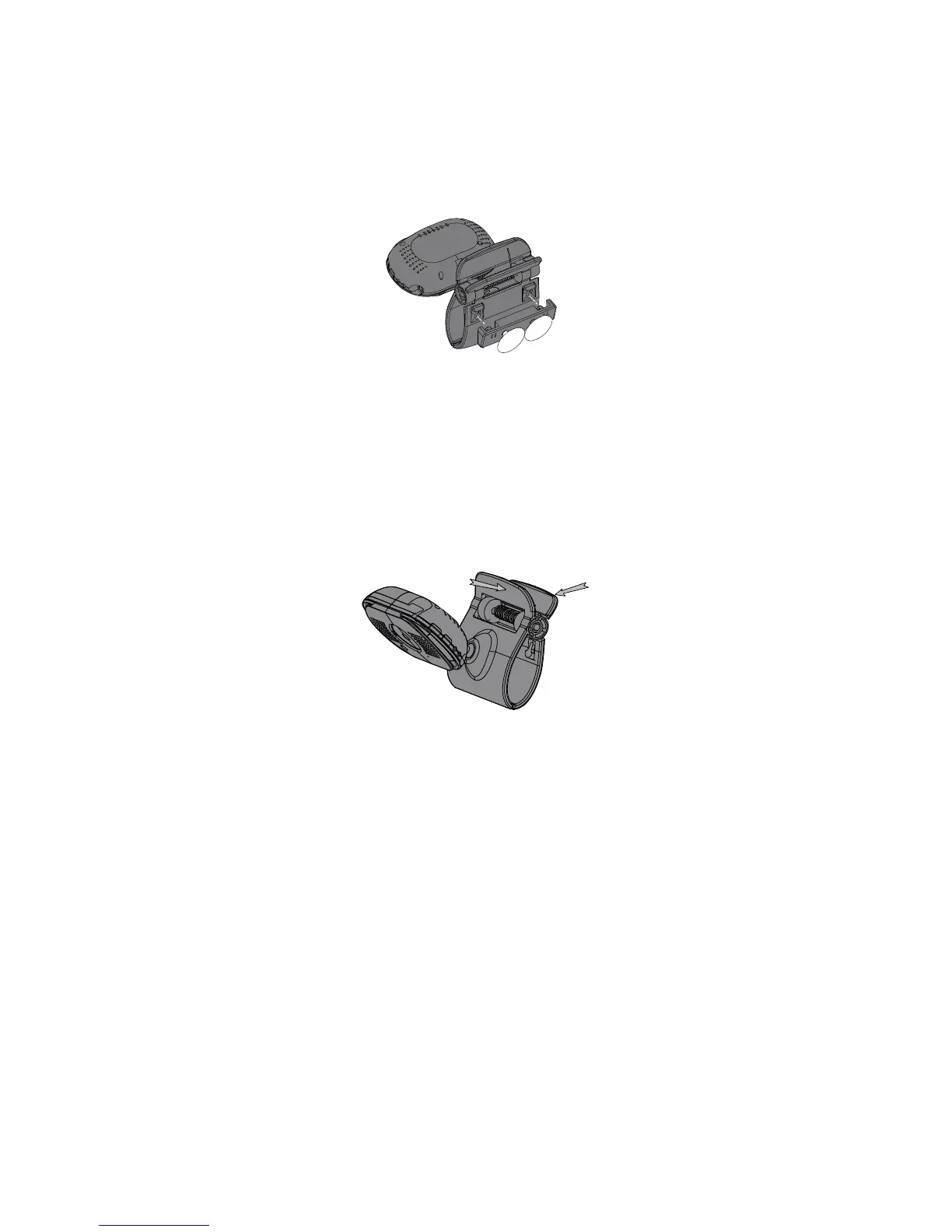
1. Insert the suction base into the base clip as
shown:
2. Firmly press the camera with the suction base
attached onto glass or metallic surfaces.
3. Adjust the camera as needed.
Clip the UBR243 on the crib, ledges, and shelves.
1. Press the mounting clip as shown.
2. Place the unit over the mounting surface and
release.
3. Adjust the camera as needed.
1. Insert the AC adapter power plug into the
camera’s DC adaptor input jack.
2. Plug the other end into a 120 volt AC (standard
indoor) power outlet or surge protector.
3. Press
and make sure the blue power
LED
turns on. If it doesn’t, try reconnecting the
AC adapter, making sure the power outlet isn’t
controlled by a wall switch.



 To Next Page