EasyManua.ls Logo

Uniflair UST500 - User Manual

Uniflair UST500
100 pages
Print Icon
To Next Page IconTo Next Page
Loading...
UNIFLAIR
Instruction manual
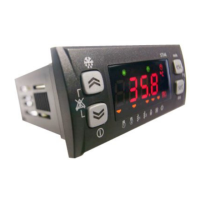
UST500 CONTROL BOARD
E
N

Table of Contents

Question and Answer IconNeed help?

Do you have a question about the Uniflair UST500 and is the answer not in the manual?

Summary

User Interface (Folder PAR;UI)

Keys and Associated Functions

Table detailing key presses and associated menu functions.

LEDs and Display

Explanation of the icons and display elements on the control board.

Manual Alarm Acknowledgment and Reset

Default Configuration

Access to Folders - Menu Structure

Navigating the device's menu and folder system.

Main Display Menu

Operating Mode” Menu

States Menu

View Inputs;Outputs (Ai, di, AO, dO)

How to view input and output status on the display.

Setting the Clock (CL)

Alarm Display (AL)

Example of How to Set the Setpoint (SP)

Programming Menu

Parameters (Folder PAr)

Overview of parameter folders and their purpose.

Modifying a Parameter

Step-by-step guide to changing a machine parameter.

System Configuration (Folder PAr;CF)

Configuration of Analogue Inputs

Details on configuring the four analogue inputs (Al1-Al4).

Operating Modes - Temperature Control (Folder PAr;tr)

Compressor Control - Temperature Control

Overview of compressor control types.

Proportional Temperature Control

How proportional temperature control works.

Compressors (Folder PAr;CP)

Type of Compressors

Defining compressor types (ordinary, partialized).

Compressor Timings

Safety timings for compressor operations.

External Exchanger Fan (Folder PAr;FE)

Configuration of Fan

Settings for controlling the external exchanger fan.

Defrost (Folder PAr;dF)

Start Defrost

Parameters and conditions for initiating the defrost cycle.

End Defrost

Conditions and parameters for ending the defrost cycle.

Adaptive (Folder PAr;Ad)

Adaptive Function with Setpoint Modification

How setpoints are modified by the adaptive function.

Power Limitation (Folder PAr;PL)

Alarms and Diagnostics (Folder PAr;AL)

Digital Alarms

Analogue Alarms

Table of Alarms

Comprehensive list of all alarms and their effects.

Parameters (PAr)

Configuration Parameters (CF)

CF00 Type of Analogue Input Al1

Setting the type for analogue input Al1.

User Interface Parameters (UI)

Temperature Control Parameters (tr) - Temperature Controller

Compressor Parameters (CP)

Defrost Parameters (dF)

Power Limitation Parameters (PL)

Alarm Parameters (AL)

Functions (Folder FnC)

Manual Defrost (dEF)

Manual defrost activation procedure.

Alarm Acknowledgment (tA)

Procedure for acknowledging active alarms.

Change On;OFF State (St)

Procedure to change the device's ON/OFF state.

Manual Defrost Activation (Folder FnC;dEF)

Alarm Acknowledgment (Folder FnC;tA)

Change On;OFF State (Folder FnC;St)

Multi Function Key

Using the Multi Function Key (Folder FnC;CC)

Operations using the Multi Function Key for upload/download.

Reset Alarm Log (Folder EUr)

Uniflair UST500 Specifications

General IconGeneral
BrandUniflair
ModelUST500
CategoryTemperature Controller
LanguageEnglish