EasyManua.ls Logo

Unifore 4CH Mini NVR - User Manual

Unifore 4CH Mini NVR
22 pages
Print Icon
To Next Page IconTo Next Page
Loading...
NVR Quick Start Manual
1 22
Mini NVR
Quick Start Manual
Product Description
The mini NVR was specially designed for network video surveillance system. It has embedded Linux
operating system which makes the system operation more stable; it has standard H.264 video
compression algorithms which achieve high definition, low bitrate and single-frame play video function.
The mini NVR is small, dimension 88mm*88mm*32mm, but with complete ports and function. It
supports Onvif, 4CH/ 8CH 720P or 1080P IP cameras input, preview and playback; P2P and mobile
phone controller; Mobile HDD, E-SATA hard disk cartridge and E-SATA HDD expansion. HDMI and
VGA output simultaneously. The power supply was made of standard 5V2A micro-mini USB port,
energy saving and environmental protection.
1.1 Declaration
Thank you for purchasing our NVR. If you need any help, please feel free to contact us.
The manual apply to 8CH mini NVR and 4CH mini NVR
The manual will be updated according to the enhancement of product function. Description of
product or program will be improved or updated periodically. The updated stuff will be added in
new manual without prior notice. If any product description in manual not in conformity with the
real object, subject to the real object.
2 .1 Attentions:
The IP address of all devices in LAN can’t conflict with each other.
The gate way should match with IP address, and setting up correctly.
The product supports external HDD only, including mobile HDD, hard-disk cartridge with E-SATA port.
We have tested following HDD brands and model numbers work with the mini NVR:
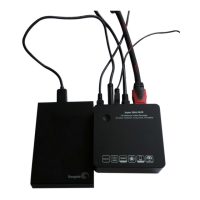
Seagate Backup Plus 1TB 2.5’’ USB3.0 mobile HDD, Model No.: STBU1000300
Seagate Expansion 1TB 2.5’’ USB3.0 mobile HDD, Model No.: STBX1000301
Seagate Expansion 2TB 3.5’’ USB3.0 external HDD, Model No.: STBV2000300
Western Digital (WD) Elements 1TB 2.5’’ USB3.0 mobile HDD, Model No.: WDBUZG0010BBK
Question and Answer IconNeed help?

Do you have a question about the Unifore 4CH Mini NVR and is the answer not in the manual?

Summary

Technical Parameters

8 CH Mini NVR Specifications

Technical specifications for the 8CH mini NVR model, covering operating system, video standards, and connectivity.

4 CH Mini NVR Specifications

Technical specifications for the 4CH mini NVR model, including operating system, video standards, and connectivity.

Device Operation

Power On

Steps for powering on the NVR device, including connecting power and HDD.

Network Setting

Connect with IP Camera

System Setting

Recording

Playback

Viewing recorded video footage, selecting channels, dates, and controlling playback.

User Management

System Maintenance

Import-Export Configuration

IE Viewing

User Log In

Steps for logging into the NVR via IE browser, including address bar entry and ActiveX installation.

P2 P Cloud Function

Goolink Mobile Client Setting

Setting up the Goolink mobile client for remote NVR access and monitoring.

IE End Setting

NVR Malfunction & Elimination

Image Preview and Playback Abnormalities

Image Connection Issues

Resolving problems with image connection, including full channel connectivity.

IE Access Problems

Troubleshooting IE browser access issues, including plugin installation and ActiveX settings.

Apply P2 P Cloud Surveillance

Achieve Centralized Management

Unifore 4CH Mini NVR Specifications

General IconGeneral
Operating SystemEmbedded Linux
Power SupplyDC 12V/2A
Video CompressionH.264
Video Input Channels4
Recording Resolution1080p
Network Interface1 RJ45 10M/100M Adaptive Ethernet Interface
USB InterfaceUSB 2.0