Service Manual
33
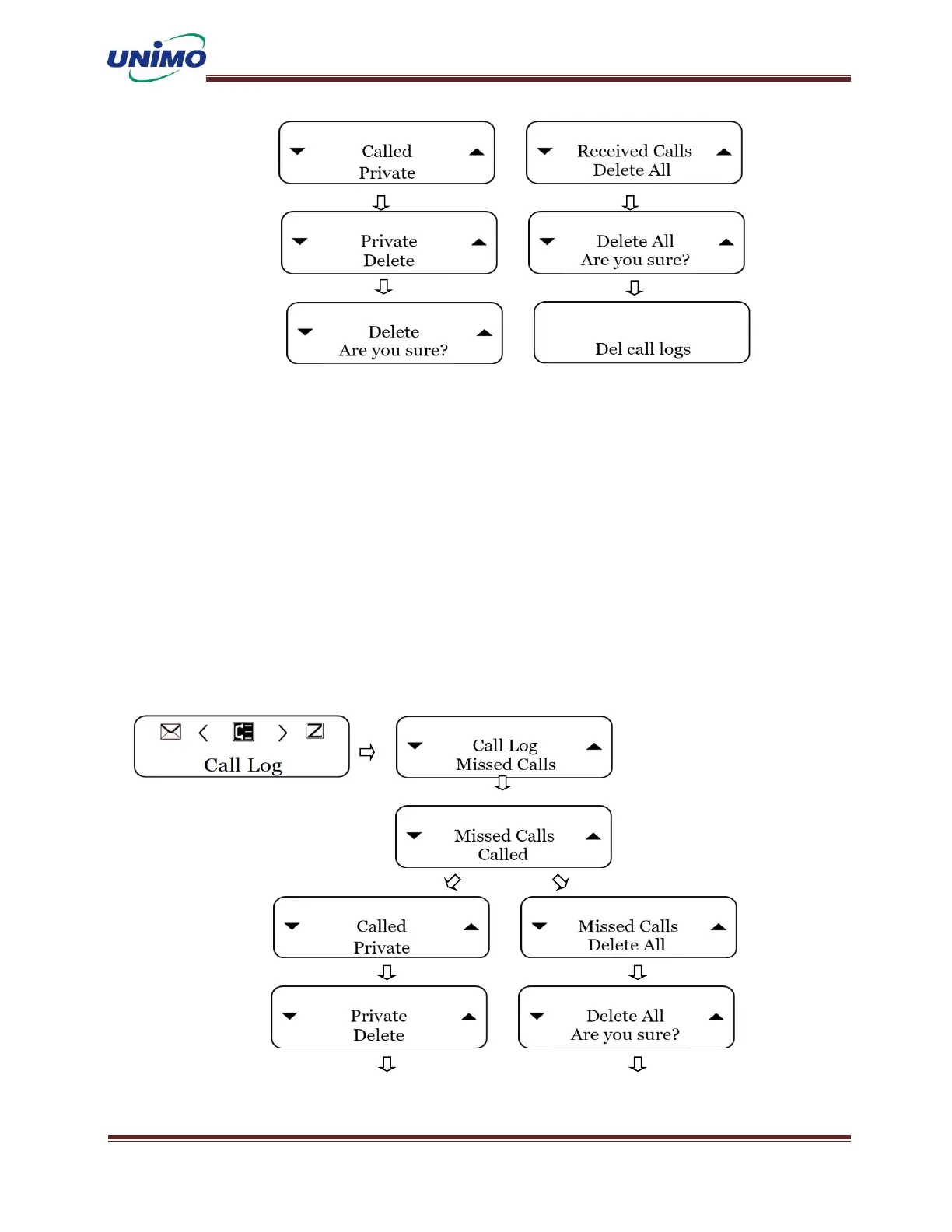
Call Log – Missed Calls
◼ Press ‘MENU’ button to select the call list. (LCD display: “Call Log”)
◼ Press ‘MENU’ button again (LCD display: “Missed Calls”)
◼ Press ‘MENU’ button again (LCD display: “Called”, “Delete All”)
◼ Press ‘MENU’ button again (LCD display: “ID Dislpay”)
◼ Press ‘MENU’ button when the ID is displayed (LCD display: “Delete”)
◼ Press ‘MENU’ button again (LCD display: “Are you sure?”)
◼ Missed calls are deleted.
◼ - Delete all is the same-



 To Next Page