10
EN
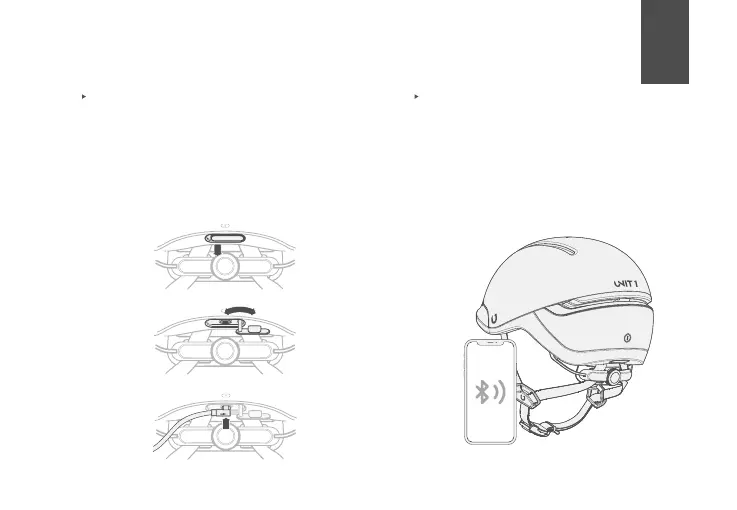
Pull and turn the silicone lid. Then plug the
USB-C cable into the charging port. Once
plugged in the hidden lights will display the
status of your battery using 6 levels. All 6
levels in a solid green color mean the battery
is full. For safety purposes,FARO functions
are not avaliable while charging. DO NOT use
the helmet while charging with a powerbank.
Charging
3.
1.
2.
Pairing FARO with the U1 App
1. Make sure your phone’s bluetooth
connection is active.
2. Power up your helmet
3. Look for your helmet using the U1 App
4. Pair directly from the U1 App



 To Next Page