EasyManua.ls Logo

Unitec Peco HF25A - User Manual

Unitec Peco HF25A
177 pages
Print Icon
To Next Page IconTo Next Page
Loading...
USER'S MANUAL 990-333
Revision B December 2003
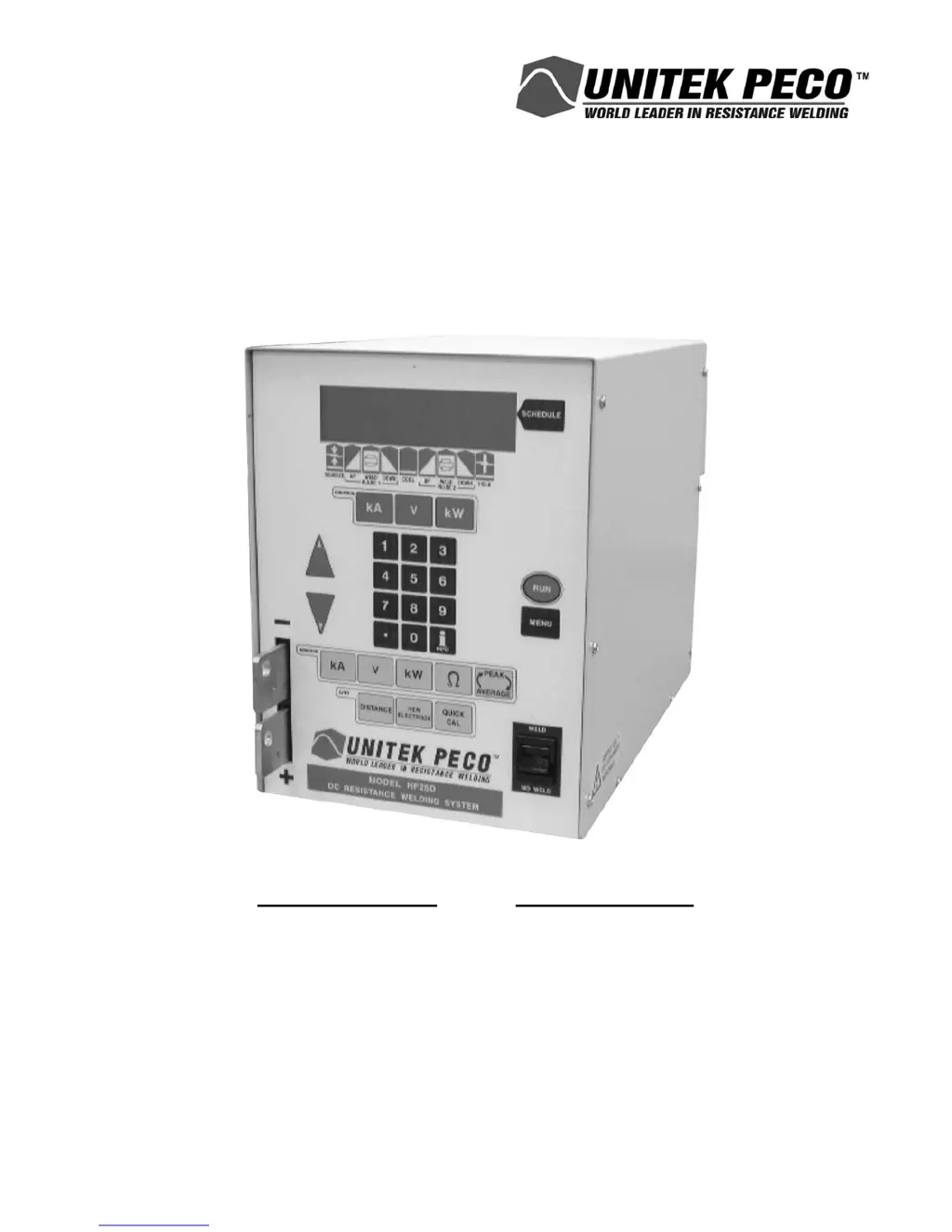
HF25A/HF25D 25kHz HIGH FREQUENCY
DC RESISTANCE WELDING SYSTEM
MODEL NUMBER STOCK NUMBER
HF25A10/240 1-280-02-03
HF25A10/400 1-280-02-04
HF25A10/480 1-280-02-05
HF25DA10/240 1-285-02
HF25DA10/400 1-285-02-01
HF25DA10/480 1-285-02-02

Table of Contents

Questions and Answers

  • S
    Sarah AvilaAug 20, 2025
    Why does the Unitec Peco Welding System show 'CURRENT 1 GREATER THAN UPPER LIMIT'?
    • C
      Christine FloresAug 20, 2025
      The 'CURRENT 1 GREATER THAN UPPER LIMIT' alarm message on your Unitec Peco Welding System indicates that the actual weld current exceeds the user-defined Upper Limit value for Weld1. To resolve this, reset the Upper Limit for Weld1 to a higher value.
  • R
    Robin VaughnAug 22, 2025
    What to do if the Unitec Peco Welding System shows 'ACCESS DENIED! SYSTEM SECURITY ON'?
    • S
      Sean LewisAug 22, 2025
      If your Unitec Peco Welding System displays the 'ACCESS DENIED! SYSTEM SECURITY ON' message, it means the operator attempted to modify a weld schedule number, individual weld schedule parameters, I/O switch functions, or calibration parameters. To resolve this, press MENU, select System Security, and enter the correct access code to disable the System or Calibration Lock protection features. A security code of 280 will always unlock the system.
  • L
    larmstrongAug 25, 2025
    What to do if the Unitec Peco Welding System displays 'ACCESS DENIED! SCHEDULE LOCK ON'?
    • C
      Chelsea SchultzAug 25, 2025
      If the Unitec Peco Welding System displays the alarm message 'ACCESS DENIED! SCHEDULE LOCK ON', it means an operator has tried to change a weld schedule or individual weld parameters. To fix this, press MENU, select System Security, and then enter your access code to turn off System Security. Entering security code 280 will unlock the system.
  • R
    Rachel JimenezAug 26, 2025
    What does it mean if the Unitec Peco Welding System shows 'CHECK CONTROL SIGNALS INPUT STATUS'?
    • E
      eddie23Aug 26, 2025
      The alarm message 'CHECK CONTROL SIGNALS INPUT STATUS' on your Unitec Peco Welding System means that one or more of the I/O input control signals is preventing the HF25/26 from continuing to operate. To solve this, remove the I/O input control signal condition that is preventing further operation. Note that the correct removal action depends on how the control signal select in the Setup 1 menu was programmed by the user.
  • J
    Jesse SmithAug 28, 2025
    What does 'CHECK INPUT SWITCH STATUS' mean on my Unitec Peco Welding System?
    • M
      monica19Aug 28, 2025
      The alarm message 'CHECK INPUT SWITCH STATUS' on the Unitec Peco Welding System indicates that one or more of the Firing or Foot Switch input signals is preventing the HF25/26 from continuing to operate. To resolve this, remove the I/O input control signal condition that is preventing further operation. The correct removal action depends on how the INPUT SWITCH SELECT in the Setup 1 menu was programmed by the user.
  • S
    Sean LinAug 30, 2025
    Why does the Unitec Peco Welding System show 'CHECK VOLTAGE CABLE'?
    • A
      Amy VaughanAug 30, 2025
      The 'CHECK VOLTAGE CABLE' alarm on your Unitec Peco Welding System indicates that no electrode voltage measurement was made. Verify that the Voltage Sense Cable is properly connected to the electrodes or electrode holder. Note that polarity is not important for the cable connection.
  • J
    Jerry BoyerSep 1, 2025
    What does it mean when the Unitec Peco Welding System displays 'CALIBRATION RESET TO DEFAULT'?
    • J
      James HaleSep 1, 2025
      The 'CALIBRATION RESET TO DEFAULT' alarm message on your Unitec Peco Welding System means that the calibration values have been reset to factory default values. To correct this, execute the built-in calibration procedure to get the correct setting.
  • S
    sean19Sep 3, 2025
    Why is there metal expulsion during welding with my Unitec Peco Welding System?
    • E
      Eric ShermanSep 3, 2025
      Metal expulsion during welding with the Unitec Peco Welding System can occur due to several reasons: * Excessive current/energy set at HF25 * Insufficient weld head force * Slow weld head follow-up * Incompatible weld piece projection design * Contaminated weld piece surface/plating * Incompatible weld piece materials * Contaminated electrode surface * Wrong electrode tip shape * No cover gas on weld piece * Excessive weld time set at HF25
  • S
    Sarah SchneiderSep 5, 2025
    What causes electrode damage in the Unitec Peco Welding System?
    • S
      samanthapriceSep 5, 2025
      Electrode damage in the Unitec Peco Welding System can be caused by: * Excessive current/energy set at HF25 * Excessive or insufficient weld head force * Wrong electrode tip shape * Excessive weld time set at HF25 * Contaminated weld piece surface/ plating * Wrong electrode material * Contaminated electrode surface
  • J
    Jordan MoralesSep 7, 2025
    Why is the weld piece warping when using the Unitec Peco Welding System?
    • S
      Steven BirdSep 7, 2025
      Weld piece warping with the Unitec Peco Welding System can result from: * Excessive weld time set at HF25 * Excessive weld head force * Incompatible weld piece projection design * Incompatible weld piece materials * Wrong electrode tip shape * Excessive current/energy set at HF25

Summary

Chapter 1. Description

Section I: Features

Overview of core capabilities and benefits of the HF25A/HF25D system.

Section II: Major Components

Details the main physical components of the HF25D system, including front and rear panels.

Chapter 2. Getting Started

Section I: Planning for Installation

Outlines essential considerations and requirements before installing the HF25D system.

Chapter 3. Using Programming Functions

Section I: Menus

Explains how to navigate the HF25D's menu system to access various functions.

Section II. Operational States

Describes the different operational modes the HF25D system can be in during use.

Section III. Weld Functions

Details the various weld functions and application types supported by the HF25D.

Section IV: Using Weld and Monitor Functions

Guides on utilizing weld schedules, feedback, and monitoring features of the HF25D.

Section V. Programmable Feedback Modes

Explains the different feedback modes (current, voltage, power) for weld control.

Section VI. Weld Monitor

Covers the functions for monitoring weld parameters and setting limits.

Chapter 4. Operating Instructions

Section I: Before You Start

Provides pre-operation checks and initial setup instructions for the HF25D system.

Section II. Programming Weld Schedules

Step-by-step guide on how to program weld schedules for the HF25D system.

Chapter 5. User Maintenance

Section I: Introduction

Introduces common problems and alarm messages related to HF25D maintenance.

Section II: Troubleshooting

Provides a guide to identifying and resolving common issues with the HF25D system.

Section III: Maintenance

Covers routine maintenance procedures like electrode care and parts replacement.

Section III. Repair Service

Explains how to contact the service department for unresolved control problems.

Chapter 6. Calibration

Calibration

Explains the process and equipment required for calibrating the HF25D system.

Appendix A. Technical Specifications

Power

Details the input and output power specifications for the HF25D system.

Performance Capabilities

Lists the key performance specifications and capabilities of the HF25D system.

Appendix B. Electrical and Data Connections

Electrical Connection

Describes the necessary electrical connections for powering the HF25D system.

I;O Signal Interface General Description

Explains the general organization and usage of the I/O signal interface.

Operator Emergency Stop Switch Input

Details the function and connection of the emergency stop switch for the HF25D.

Appendix C. System Timing

Basic Weld Operation: Air Head System with Two-Level Foot Switch

Illustrates the timing sequence for basic weld operations with an air head system.

Basic Weld Operation: Manual Head System with Firing Switch Operation

Illustrates the timing sequence for manual weld operations with a firing switch.

Appendix D. LVDT Option

Section I. Description

Provides an overview of the Linear Variable Differential Transformer (LVDT) option.

Section IV. LVDT Calibration

Details the procedure for calibrating the LVDT option for accurate measurements.

Appendix E. Communications

Overview

Introduces the communication capabilities of the HF25D with host or automation systems.

RS-232 Serial Connector Information

Details the pin assignment and host settings for RS-232 serial communication.

Computer Originated Commands

Lists commands sent from a host computer to control the HF25D system.

Appendix F. The Basics of Resistance Welding

Resistance Welding Parameters

Explains the fundamental parameters that influence resistance welding heat generation.

Electrode Selection

Provides guidance on selecting appropriate electrode materials for different applications.

Electrode Maintenance

Covers the procedures for maintaining electrodes, including cleaning and resurfacing.

Weld Schedule Development

Outlines the methodical process for developing effective weld schedules.

Appendix G. Quality Resistance Welding Solutions: Defining the Optimum Process

Introduction

Outlines the methodology for achieving quality resistance welding solutions.

Consider the Material Properties

Discusses material properties and their impact on resistance welding outcomes.

What are Screening DOE’S?

Explains the purpose and application of Screening Design of Experiments (DOE).

Unitec Peco HF25A Specifications

General IconGeneral
BrandUnitec Peco
ModelHF25A
CategoryWelding System
LanguageEnglish