8
4.4 Humidity display
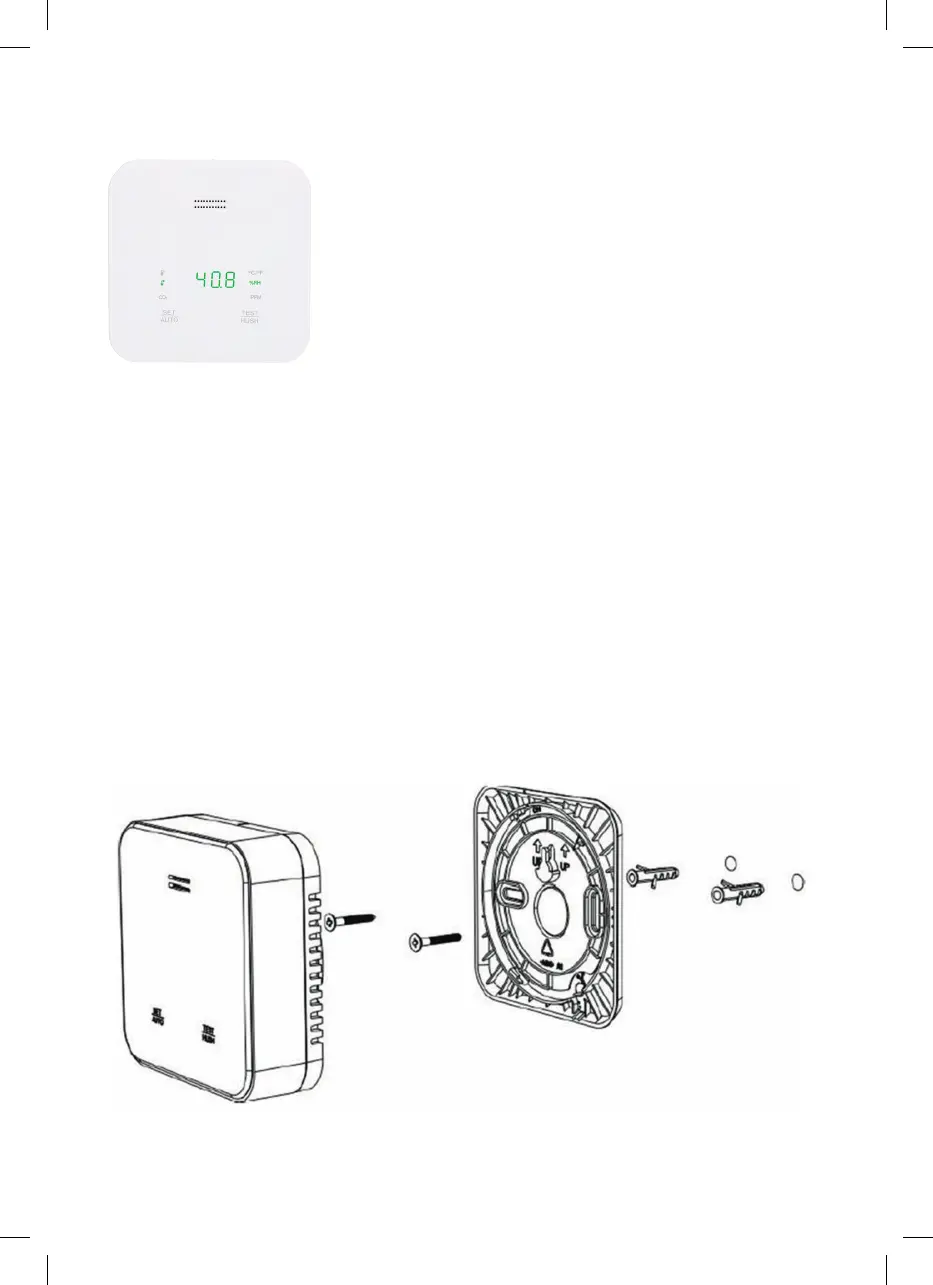
Figure 7
This product can detect the ambient humidity and warn
you if the humidity is abnormal (if the humidity
is >90% RH – see Fig. 7)
4.5 Button functions
SET/AUTO: Press the button briefly and manually select the display temperature,
humidity, CO2 and automatically scrolling display
Long press ➞ Converts the temperature unit between °C and °F.
TEST/HUSH: Press button briefly to mute the measurement device for 10 minutes
Long press ➞ CO2 alarm test
Key combination: Press two buttons at the same time for 3 seconds to change the language (English, French, German, Italian, Spanish
and Dutch are supported)
4.6 Ambient light detection
When the CO2 concentration, temperature and humidity are within the normal range, but the ambient temperature is very low (e.g. at night),
the measurement device automatically dims the brightness of the display so that sleep is not disturbed for example.
5. Installation
The CO2 measurement device can be placed on a horizontal surface or wall mounted.
Wall installation method:
Select the appropriate installation location and ensure that there are no wires or pipes near or inside the wall. To loosen the mounting plate
on the bottom of the measurement device, turn it counter-clockwise. Mark the position of the two mounting screws on the bottom cover.
Thedistance between the two holes is 58mm. Drill two approx. 30 ~ 40mm deep holes in the wall (diameter 5mm). Then insert the wall
plugs supplied into the holes and screw in the screws (see Fig. 8)
Figure 8
4008153021879_BDA_DE_A5_lang_1220.indd 84008153021879_BDA_DE_A5_lang_1220.indd 8 14.12.20 12:5014.12.20 12:50


 To Next Page