EasyManua.ls Logo

Unitech HT330 Series - User Manual

Unitech HT330 Series
2 pages
Print Icon
To Next Page IconTo Next Page
Loading...
HT330 Series
Rugged Handheld Terminal
Quick Start Guide
609356G V1.3
Package
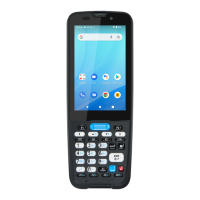
Keypad View
Product View
Please make sure the following contents are in the
HT330 gift box.
If something is missing or damaged, please contact
your Unitech representative.
HT330 Terminal
Battery
Hand Strap
USB Type-C Cable
Quick Start Guide
Boot Case
Gun Grip
Terminal Power Adaptor
HT330 1-Slot Charging Cradle with spare Battery Slot
HT330 1-Slot USB Cradle with spare Battery Slot
Power Cord for Cradle
Glass Screen Protector
Stylus with coil strap
The Package Contents
Optional Accessories
1. Scanner Window
2. LED Indicator
3. 5MP Front Camera
4. 4”LCD Display
5. Volume Key
6. Scanner Trigger Key
7. Power Key
8. Function Key
9. Mic
10. 13MP Rear Camera
11. Mic
12. Battery Lock
13. Speaker
14. POGO Pin for Gun Grip
15. Holes for Hand Strap
16. Battery Cover
17. POGO Pin
18. USB Type-C Port
1
2
3
5
6
7
8
9
10
11
12
13
14
15
16
17
18
To ensure the unit working properly, please keep all connectors away
from the contaminants staying inside of them such as dust, grease, mud,
and water.
The negligence may cause the unit with no communication, short circuited,
overheated and so on. If the connector is damaged, please ensure the
connector is being fully repaired before using the unit to avoid causing
short circuited.
WARNING!
There is a risk of fire and burns if the battery is handled improperly.
DO NOT disassemble, crush, puncture, short external contacts, or
dispose the battery pack in fire or water.
DO NOT attempt to open or service the battery. Dispose of used
batteries according to local recycling guidelines in your area.
CAUTION!
Copyright 2022 Unitech Electronics Co., Ltd. All rights reserved.
Unitech is a registered trademark of Unitech Electronics Co., Ltd.
http://www.ute.com/
4
Question and Answer IconNeed help?

Do you have a question about the Unitech HT330 Series and is the answer not in the manual?

Summary

Package Contents and Accessories

Package Contents

Lists the items included in the HT330 gift box.

Optional Accessories

Lists available accessories for the HT330 terminal.

Device Views

Product View Overview

Illustrates the physical layout of the HT330 terminal's front and back.

Keypad View Overview

Shows the layout and function of the HT330 terminal's keypad.

SIM and SD Card Installation

Inserting Nano SIM Card

Instructions for unlocking and inserting the Nano SIM card.

Inserting Micro SD Card

Instructions for unlocking and inserting the Micro SD card.

Battery Management

Removing Battery Cover

Steps to unlock and remove the battery cover.

Installing Battery Cover

Procedure for aligning and securing the battery cover.

Removing Battery

Instructions for safely removing the battery from the terminal.

Checking LED Status

Explanation of LED indicators for battery status and scanning.

Charging the Battery

Guidance on charging the terminal via USB or cradle.

Overview

The Unitech HT330 Series is a rugged handheld terminal designed for various industrial applications. It comes with a comprehensive package and offers several optional accessories to enhance its functionality and usability.

Function Description

The HT330 Series serves as a portable data collection device, capable of scanning barcodes, capturing images, and running Android applications. Its rugged design ensures durability in demanding environments, making it suitable for inventory management, logistics, field service, and retail operations. The device features a user-friendly interface with a 4-inch LCD display and a physical keypad for efficient data entry.

Important Technical Specifications

The HT330 Terminal is equipped with a battery, a hand strap, a USB Type-C cable, and a Quick Start Guide. Key features include:

  • Display: 4-inch LCD display.
  • Cameras: 5MP front camera and a 13MP rear camera.
  • Scanning: Integrated scanner window for barcode reading.
  • Connectivity: USB Type-C port, POGO pins for gun grip and charging cradle.
  • Memory: Supports Micro SD card expansion.
  • Audio: Built-in speaker and microphone.
  • Power: Removable battery, rechargeable via USB Type-C cable or charging cradle.
  • Indicators: LED indicators for battery status, scanning, and messages.
  • Physical Controls: Volume keys, scanner trigger key, power key, and function keys.

Optional accessories include:

  • Boot Case: Provides additional protection for the device.
  • Gun Grip: Enhances ergonomics for prolonged scanning tasks.
  • Terminal Power Adaptor: For direct power supply.
  • HT330 1-Slot Charging Cradle with spare Battery Slot: For convenient charging of the device and a spare battery.
  • HT330 1-Slot USB Cradle with spare Battery Slot: Offers USB connectivity while charging.
  • Power Cord for Cradle: For powering the charging cradles.
  • Glass Screen Protector: Protects the display from scratches.
  • Stylus with coil strap: For precise input and preventing loss.

Usage Features

The HT330 is designed for ease of use and versatility:

  • Battery Installation: The battery is installed by aligning it with the compartment and pushing it forward until it clicks. The battery cover is secured by aligning its hooks with the recesses on the battery compartment, inserting it at a 45-degree angle, pressing it down, and then locking it with the battery lock.
  • SIM/Micro SD Card Installation: The device supports Nano SIM and Micro SD cards. For Nano SIM, the card holder needs to be unlocked, flipped open, the SIM inserted, then closed and locked. For Micro SD, the card holder is unlocked, flipped open, the SD card inserted, then closed and locked.
  • Charging: The device can be charged via the USB Type-C cable or a charging cradle. It requires approximately 24 hours for the first initial charge and 4.5 hours for a regular full charge. The charging LED indicator turns red during charging.
  • LED Indicators:
    • Red Light: Indicates battery charging or low battery status (less than 15%). Twinkling red light signifies low battery.
    • Green Light: Indicates a fully charged battery or a successful barcode scan.
    • Blue Light: Indicates a message.
    • Note: When the scanner app is running, the LED is controlled by the app. No LED display (Red and Green) occurs when the battery is out, even with AC power.
  • Keypad: Features a physical keypad with numeric, alphanumeric, and function keys (P1, P2, P3, ESC, TAB, CLR, SHIFT, ENT, ←).
  • Rugged Design: Built to withstand harsh environments, ensuring reliability and longevity.

Maintenance Features

Proper maintenance is crucial for the longevity and optimal performance of the HT330:

  • Battery Handling:
    • WARNING: Improper battery handling poses a risk of fire and burns. Do NOT disassemble, crush, puncture, short external contacts, or dispose of the battery pack in fire or water.
    • Do NOT attempt to open or service the battery.
    • Dispose of used batteries according to local recycling guidelines.
    • To remove the battery, pick it from the bottom and lift.
  • Connector Care:
    • CAUTION: Keep all connectors free from contaminants such as dust, grease, mud, and water to ensure proper unit function.
    • Negligence can lead to communication issues, short circuits, overheating, etc.
    • If a connector is damaged, ensure it is fully repaired before using the unit to prevent short circuits.
  • Cleaning: While not explicitly detailed, general electronic device cleaning practices should be followed, such as using a soft, dry cloth to wipe down the device and avoiding harsh chemicals or abrasive materials.
  • Storage: Store the device in a safe environment, away from extreme temperatures and humidity, to prevent damage.

Unitech HT330 Series Specifications

General IconGeneral
BrandUnitech
ModelHT330 Series
CategoryTouch terminals
LanguageEnglish

Related product manuals