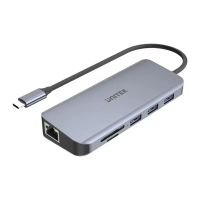
USB 3.0/Type-C interface.
5. Using pure copper mesh technology, low impedance, strong
protection, to provide more stable data transmission.
3
Note
1. Please do not put the product near to strong magnetic objects.
2. Please flat the product on the desktop, do not put it on
irregular objects.
3. Please do not put the product on squeezing or vulnerable
places,to ensure it works well.
4. When using a desktop computer, please connect this product
to the rear USB port, the front USB port may be insufficient for
power supply.
5. When using a hub to connect this product, please use the
Micro USB external power supply to power the driver, otherwise
the power supply may be insufficient.
6. If you insert a DVD and a video player does not start up,you
may need a player that will recognize the drive.You can installed
"VLC media player".VLC is a free and open source media player
that works with all Windows versions.
You can get the player here: https:/www.videolan.org/vlc/.
How to use
1. This product is a data line interface properly connected to USB
port of the computer, the computer display lower right corner
should appeor device icon.
2. Click on the desktop, open the "my computer" in "the mobile
storage device should display the drive icon."
3. Click this icon and click "pop" to place the disk in the tray for reading.


 To Next Page