User Manual for Video Intercom System 2000F rev5. 12-16-13 Page 3 of 5
1. RECEIVING CALLS FROM THE CONCIERGE
As soon as the Concierge calls, you will hear a chime and see a view of the visitor in the
lobby on your monitor. You can either:
Press “TALK” and tell the Concierge you will receive the visitor,
or
Don't answer and the visitor will be told you're not at home.
1.3 If nobody answers the concierge call, the concierge will be able to leave a message.
1.4 Optionally calls from the concierge to an apartment unit, can be forwarded to
residents land line or Smartphone.
2. CALLING THE CONCIERGE
Press the “CALL” button on your keypad.
If the Concierge's line is busy, you will receive a busy signal, but
he/she will automatically be notified that you called and will call you back.
3. VIEW OF THE VISITOR IN THE LOBBY
3.1 Whenever the Concierge calls you or answers your call, your monitor
will display a view of the visitor in the lobby
4. INFORM THE CONCIERGE OF A FIRE, POLICE OR MEDICAL EMERGENCY
4.1 Press the appropriate button depicting FIRE , POLICE ,
or MEDICAL to send the alarm to the Concierge.
You will hear a distinctive sound and the yellow light will flash.
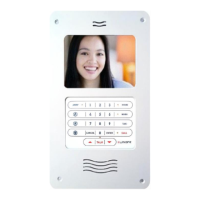
HOW TO USE YOUR UNITONE 2000F APARTMENT
VIDEO UNIT:


 To Next Page