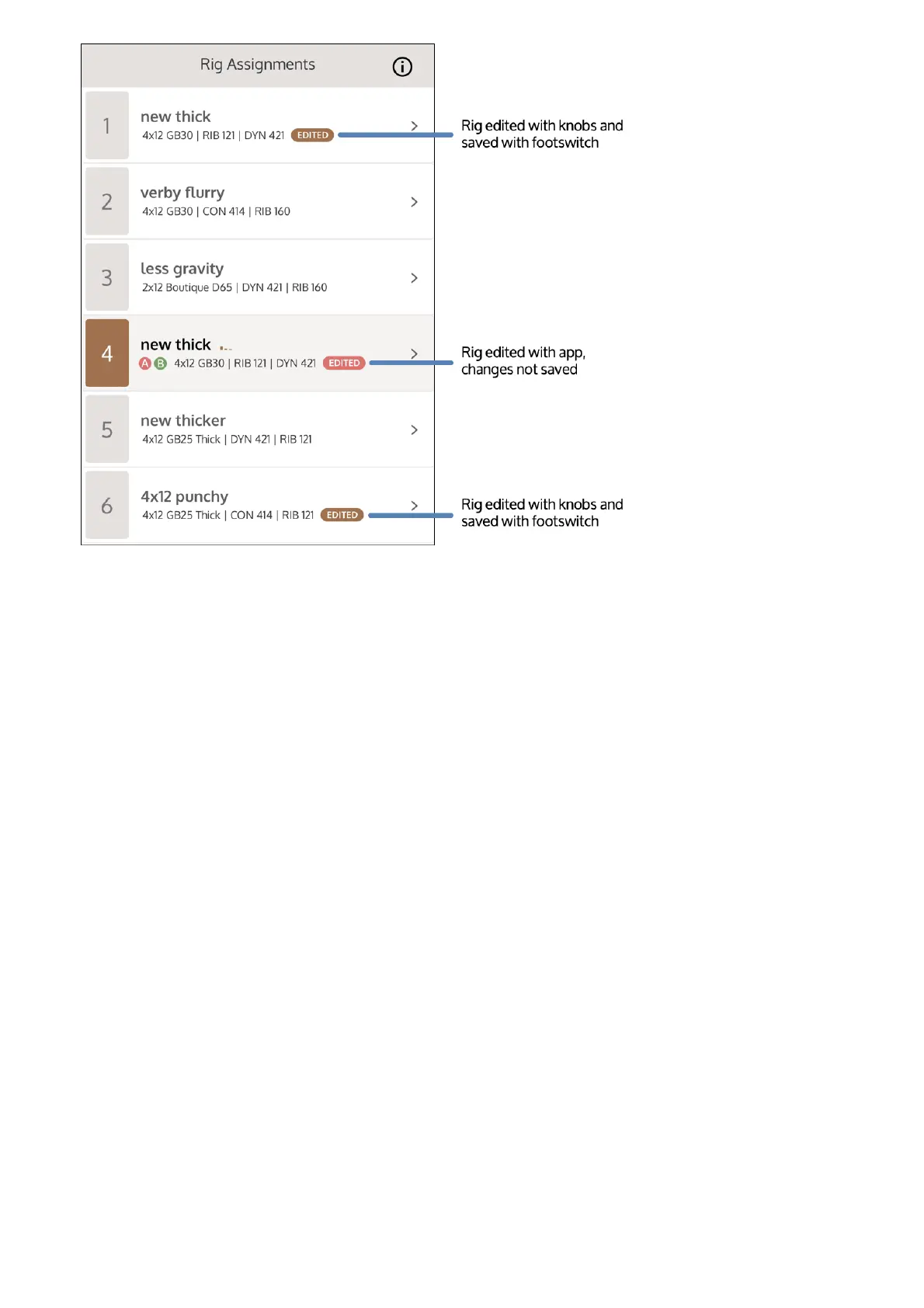
Save a Rig temporarily with the footswitches
You can make changes to a Rig on the fly (for example, to balance levels in a live performance
scenario), and temporarily store those changes without opening UAFX Control.
This saves the Rig's state, but does not permanently store the Rig. You can then switch to other
Rigs or power off the pedal, and the changes will remain; however, the Rig continues to show as
Edited in the UAFX Control app, with a brown highlight around the Edited status.
You can later save the Rig permanently in the UAFX Control app.
Save changes to a Rig permanently with UAFX
Control
You can save changes to a user Rig. For factory Rigs that you have modified, you must Save a
Copy.
Make changes to a Rig with the knobs and switches on the OX Stomp hardware.
1
Press and hold the active footswitch (or the left footswitch in Delay | Reverb footswitch
mode) until the LED flashes.
2



 To Next Page