Need help?
Do you have a question about the Universal Devices ISY-994i Series and is the answer not in the manual?
Lists the components included with the ISY-99i/994i Series device package.
Outlines the necessary hardware and software prerequisites for the ISY.
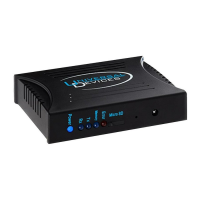
Introduces the ISY's front and rear panel features and components.
Details the physical steps for installing the ISY hardware.
Explains how to establish a network connection from a PC to the ISY.
Describes the web-based interface for interacting with the ISY.
Provides instructions on how to access and start the ISY's Admin Console.
Covers essential initial settings for the ISY.
Details how to change the default login credentials for security.
Explains how to configure the ISY's time and location settings.
Describes keyboard shortcuts for navigating the ISY's interface.
Explains how to change the visual color schemes of the Admin Console.
Overview of the main interface tab for managing devices and scenes.
Guides on how to add INSTEON devices to the ISY.
Details how to modify device settings like On Levels and Ramp Rates.
Explains how to group devices into scenes for coordinated control.
Covers methods for renaming, creating folders, and managing devices/scenes.
Explains how to use the interface buttons to control devices and scenes.
Describes additional device management functions like restore, disable, and query.
Section for creating and managing ISY Programs.
Introduces the concept and creation of ISY Programs.
Guides users through the process of creating their initial ISY Program.
Explains how to construct programs using multiple IF, THEN, ELSE statements.
Details how to create schedule-based conditions for programs.
Explains how to add various conditions (status, control, X10) to programs.
Describes the actions that can be performed within ISY Programs.
Guides on creating and organizing programs using folders.
Covers other program management functions like copy, find, rename, remove.
Explains how to view and manage program status and properties.
Introduces the concept and usage of variables in ISY Programs.
Details the process of creating user-defined variables for programs.
Explains how to use variable states as conditions in ISY Programs.
Describes how to change variable values using arithmetic operations.
Illustrates using variables to include dynamic data in notifications.
Details the ISY's IR receiver capabilities and setup.
Explains how to import pre-configured IR codes for remote control.
Details how to teach the ISY new IR codes using its learning mode.
Explains how to configure and send notifications via text or email.
Guides on setting up notification recipients and email server settings.
Explains how to create personalized notification messages.
Describes how to integrate the ISY with an Elk M1 alarm system.
Overview of optional modules that enhance ISY capabilities.
Details features of the Network Module like Web Server and Wake On LAN.
Explains how to use local weather data for ISY Programs.
Describes how to monitor electricity consumption with the module.
Details how to integrate ELK security system resources into ISY programs.
Explains how to manage A10/X10 devices within the ISY.
Describes how to use the module for calculating and managing water usage.
Tools for troubleshooting ISY and communication issues.
Explains how to use the Event Viewer for troubleshooting ISY issues.
Describes how to view basic ISY information like date and disk space.
Shows how to check communication and firmware status of the PLM.
Details how to view and manage the PLM's link table.
Explains how to view and compare device link tables.
Describes how to view the links the ISY expects for a device.
Guides on testing scenes to troubleshoot communication issues.
Explains how to refresh device information from the ISY.
Notes specific behavior and limitations of ApplianceLinc devices.
Discusses potential compatibility issues with SimpleHomeNet devices.
Details configuration options and behavior of I/OLinc devices.
Explains how KeypadLincs appear and are controlled on the ISY.
Notes specific behavior and controller capabilities of LampLincs.
Describes requirements and configuration for Motion Sensors.
Details linking and control of RemoteLinc devices.
Discusses thermostat integration and polling.
Guides on linking and using TriggerLinc devices with the ISY.
 General
| Brand | Universal Devices |
|---|---|
| Model | ISY-994i Series |
| Category | Recording Equipment |
| Language | English |


 To Next Page