10
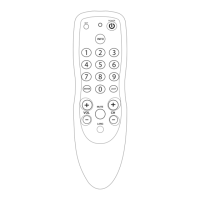
Volume Punch Through
This feature allows you to adjust the volume in a certain mode (e.g.
TV mode) while being in a different mode (VCR or DVD).
Last key pressed: You can control:
VCR TV volume up and down, mute
DVD TV volume up and down, mute
To punch through to TV volume while in VCR or DVD mode press:
SET(*) 9 9 3 TV key.
To cancel the "Volume Punch Through" press:
SET(*) 9 9 3 Volume(+) (the red light will blink four times).
(*) Hold down the SET key until the red light blinks twice (the red
light will blink once then twice).
Colour & Brightness
Depending on the functions of your original remote control, the
TOTAL CONTROL can operate the colour and brightness settings of
your Television.
To adjust the colour:
Press the SET key followed by Volume + (for colour +)
or Volume - (for colour -).
To adjust the brightness:
Press the SET key followed by Channel + (for brightness +)
or Channel - (for brightness -).



 To Next Page